 8:50
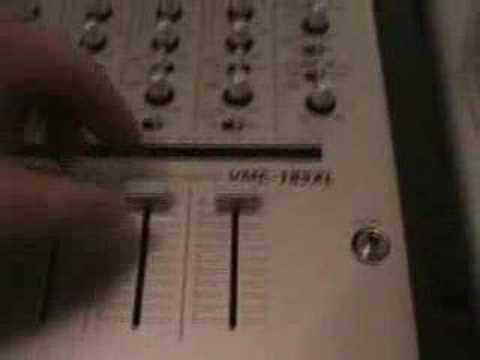
A demo of your prize the Vmc-185xl
Contents of the video
0:00 Here it is, what you've been waiting for
Alright folks, here it is, what you've been waiting for. This is the prize we're going to give away, okay? And the competition starts on the 16th of April 2007 and it finishes on the 23rd of April 2007, 10 o'clock GMT, Greenwich Mean Time. So that's 10 o'clock in the evening in the UK. Right, very quickly run over this and we'll do a bit of a mix for you, okay? Now then... Three channels, alright? If you're a turntable it's quite often you only want two, alright? But if you're a mobile DJ, a club DJ, I don't care what you say, you've got to have at least three channels. The reason being, you know, let's say now you've got two, right? And you're working as a mobile DJ and all of a sudden your PC stops working on one side or let's say the CD player stops or your turntable stops so you've only got one channel. Basically, you're knackered. So, three channels
It means you've got two turntables and an MP3 over here, or you've got two CD players, you've got three CD players, or you've got three turntables where this mixer is concerned, which is very good because a lot of DJs now are doing three-deck mixing. It's wonderful. Right, cue basically, you know, headphones, cue on and off, send, which is for effects, you've got bass, mid and treble. Talk a little bit about these because I like what we've got here. Right, the almost like it's like an 8 which is lying flat. Now that's, it's almost another terminology for infinity or in this case everything is off, finished kaput. In other words as soon as you wang it all the way across there you won't get any bass sound at all. Likewise with the mid, all the mid will be cut out, all the treble will be cut out. But what I do like about this is that then when you take it all the way to the other side you will only get an extra 4 dB.
2:11 He does exactly what it says on the tin
Now, I know why they've done that. I haven't been told, but I reckon I know. Because they probably watched and loads of DJs, they're doing this full on, full on. And of course, the trouble is a lot of mixers, they'll go to plus 12. And you know, at the end of the day, if you're going to go to plus 12 on a normal mixer, alright, using a big sound system, you're going to blow speakers, alright? So that's quite good. Plus 4, it means you still get a lot of bass, there is still a chance you can knack your speakers, always be careful, but beneficial, alright? He does exactly what it says on the tin. If the balance is on the R, it means you'll have sound out of the right side but no sound out of the left. Likewise, the opposite applies. If the sound is coming from the left side, you won't have any sound coming out of the right. Here, trim basically your input. For example, if you've got a turntable through this side and you're playing a 12-inch single, you've got a turntable through this side
And here you can see it on camera, and you're playing an LP. Well all you do is you walk the trim up, so the input level then, from here, the input level will be slightly different. But as soon as it passes these two buttons, the input level then will be exactly the same, meaning all of these channels will get a proper, not proper sorry, they will get the same audio signal. So in other words, when you put those straight up to the top, it'll be the same. Because if you've got an album here... Say, sorry, an album this side and a 12-inch this side, and you've got both the trim at 12 o'clock, and you put these two up like that, what will happen is this one here will be a lot louder than that one. That's what the trim's for, alright? So basically here, right, you know, level for your headphones, split or stereo, split is for left and right out of each ear cup, stereo is for stereo signal just from either side, RCV, level auxiliary, balance output.
For either side, right and left, so that's your master right and left. You've got a master volume control. Here you've got a cue, auxiliary post, this is for your microphone, a level for your microphone, a low dial for your microphone, so you can have a lot of bass, a lot of treble. That's good, I like that because quite a few actual mixers now have just got small tiny tone control if you're lucky, alright? What I'm going to do, quickly take the camera off here and just show you What you've got, very simple, RCF curve. Now we have done this before. Without going into detail, if you want to go and check out the actual video I did on the curve feature, on the crossfade, then without going into detail, that will explain what that's for. CF on and off is crossfade on and off. That's it. So if it's off, all you'll be doing is you'll be doing this. You'll be going up like that for a smooth mix. When the crossfade's on...
4:29 You've got the volumes up and then you can do that
Then you've got the volumes up and then you can do that. Alright, what I'm going to do now is round the camera on the tripod and we'll give it a bit of a session. Hold on.
This transcript was produced automatically from the audio of the video and may contain mistakes.





