 10:16
A look at the American Audio MCD 710 twin cd player.
Contents of the video
0:00 This guy as well, it's got something called Cue Start
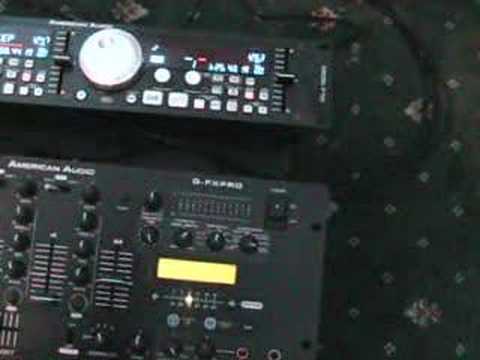
Hi folks, Jonathan here. In this video we're going to be looking at the MCD-710 American Audio Twin CD Player. You've got one unit there and the other unit there and for the people who have never seen these guys before that is the control panel and then the actual tray unit for the CDs is under there. You can just see it with a light on. There's one tray for that CD player and that CD player It's basically for that, Troy. So that's just to get sort of things ironed out and sorted. This guy as well, it's got something called Cue Start. Now what that means is that if you've got any relevant American audio mixers, basically you can plug your CD unit into the mixer and you can have fader start on it, which is pretty cool. Basically what fader start is, for again the people who don't know, what we could do, we could actually have a track set up there.
And let's say you've got one hand on the microphone and you need the other hand then, of course, to move the volume up and down. But, of course, quite often, you know, you need three hands because you need one to hold the microphone, one to press play, and then one to move the volume up and down. But, of course, with actual fader start, all you have to do is fader up and bang, off it goes. So there you go. So that's just a general idea of what fader start will do. Alright, there are a couple of... well, there's one... Well, there's two actually really nice features about this. I'll explain very shortly. Now, first of all, this guy here, that's a jog wheel. It's exactly the same sort of thing that you'd find on a tabletop CD player. As you can see, we can find certain areas of the track. Say we want to say, for example, but of course we have the volume down. We wanted to, let's say, start the track off from that position. So there you go. We'd get it there and we'd cue it and it would start from there.
1:55 I hope you get the idea there
And we want it to start from, say, there. So I hope you get the idea there. So basically what you can do by using the jog wheel, you can, and again you do this on the headphones, find any particular place where you want it to start the track from and then just cue it up from that point. And then there we go. OK, so what we'll do, we'll just go back to track one again. Now, with this guy and a lot of other CD players, you've got something called tempo lock. Key lock, that kind of thing. Now what that will actually do is when that's pressed it will keep the same tone, the same key, the same feel of the track but at the same time you can still increase by moving the pitch control forward or decrease by moving the pitch control backwards the actual speed of the track. But at the same time like I said you will actually keep the same tone and key of the track. Now what I do like about this, and it's a bit of an effect, you wouldn't normally use this in the mix because it would sound
We'll put the tempo lock on and have a listen. I'll make sure we've got the pitch in control. Hold on. No, we're on 100 there, man. So I'm just getting used to this myself. Right, here we go. So that's what it sounds like, tempo lock, using the pitch control, speeding it up, slowing it down, on minus and plus 16. Now if we take the tempo lock off, let's have a listen. You can hear almost the sound dropping with the actual beat. And here, increasing with the beat. Now this is neat. I do like this. Now we're on 100. Now this again is a nice effect to use. So there you go. I mean, you wouldn't necessarily use that in the mix, but you could definitely use that as an effect. And what I have done, I've messed around with the actual mixer here. I've got the QFX Pro and you've got a whole bunch of effects on this. So what I've done is I've messed around with one of the effects from this guy and utilised using the tempo lock on the...
5:06 The actual pitch control when we're set at 100, minus and plus 100
The actual pitch control when we're set at 100, minus and plus 100. And we have some really wacky effects, have a listen. So what we'll do, we'll set that down. Hold on, we want tempo lock, sorry. You've got pitch shifter here, which is quite cool. Anyway, enough of playing about. Alright, so what else have we got? We've got this guy here, it's a little button, it's called flip-flop. If you press that... Let's say, for example, it's at the beginning of the evening, there's not much going on and you've got to play some background music. But a normal CD, let's say it lasts for 70 odd minutes. Well, by pressing flip-flop, and you do see this feature on quite a few CD players, but it's still a good feature to have. What you can do is you can have a CD in this side, a CD on that side, and what it will do, it'll play track one from here.
Then as soon as track 1 finishes here, it'll play track 1 here. As soon as track 1 finishes here, it'll play track 2, then track 2, track 3, track 3. So basically it will flip-flop. I suppose that's the easy way of doing it, or mentioning. Again, this guy will play MP3s, so you have here the folder button and in a future video we'll look at actually playing MP3s as well. Also, the actual construction is pretty nice as well. If I just go through here, what we've got now... We've got these two dials. Now, you know, this is my own opinion. No one's telling me to say this. But there's a nice feel to these dials. They don't feel tacky or plasticky. And when you move this to move the track forward, there's a really hard spring there. So it's nice. It's not as though you're going to move this and think, oh, it's going to start falling apart after six months. I do like the feel of that.
We'll move the track forward by moving this clockwise and then as soon as you take the finger off it springs back which is quite nice, anti-clockwise and the track will move backwards and again it will spring back. Now this guy here basically just clicks and this will take you through the actual tracks. So there you go. Now also what we've got here is we've got seamless loop. So if I just go a little bit closer, and I've got to get this right, here we go, and then out.
7:55 What we've done there is we've looped a certain part
Now, what we've done there is we've looped a certain part. So what we can do now is we can press out and we're out of it now. Now if I press something here called re-loop, we'll actually go back to that loop. And again, alright, I missed the beat a little bit but it's all about practice. At the end of the day, you know, if you're going to get a mixer, any mixer, if you're Once you've played with it for about six months, you're going to be a lot better at it than someone who's maybe just had it for like five minutes or so. Alright, so what we'll do, we'll pause that and we'll go to say track nine. Now there is a feature here that I did mention about a while ago and I do like this feature. It's a feature called bop. Now what happens is when I press that, it'll go right back to the beginning of the track. Now yes, you can do that if you press cue, but then you have to press play.
So you have to press two buttons to go right back to the beginning of the track here. So cue and play. But with this guy here, press it once and you can go right back to the beginning and you can do some nice sort of stutter effects. Here we go. See what I mean? So we've got eject and eject. And again, a small feature here, let's just pause that. The eject buttons are small. Now there's a whole big reason for that. And that is, the last thing you want is a huge eject button there and accidentally start pressing it. You've got two eject buttons there as well. And also very important, you can see there the actual power on-off button is covered over so there's not much chance of you accidentally hitting that. So there you go, it's a little bit of an insight for you. There's the two trays. You can see there's the one for the one side.
There you are, a tiny bit of an insight. We'll do a few more videos on this guy here, but it's a small look at the MCD-710 from American Audio. Practice and enjoy.
This transcript was produced automatically from the audio of the video and may contain mistakes.





