 4:41
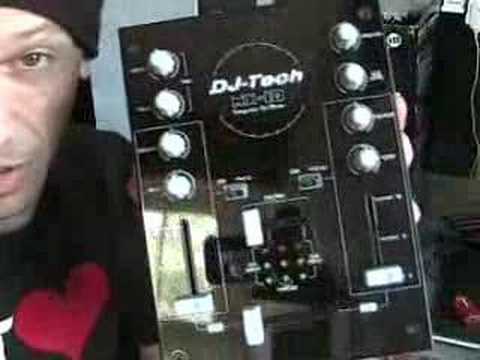
A look at the DJ-Tech Mix Control 10
Contents of the video
0:00 Rather a lot of money
Alright folks, I still get loads of people saying, Jonathan, I want to become a DJ but I can't afford the actual DJ kit. Well admittedly, if you want to buy the best, most expensive products in the world, it's not going to cost you a few thousand of euros, dollars, pounds or whatever, it's going to cost you maybe ten thousand euros, dollars and pounds because, I mean I'll be honest with you, a good quality amplifier will cost you... Rather a lot of money. Not one, two, three or four hundred dollars, pounds, euros. Cost you quite a few thousand. Same for speakers, exactly the same for a mixer and for CD players. But there is hope out there because like I said so many people they say they want to be a DJ but they can't afford it. Well you can because as time moves on technology's getting better. There are bits of kit out there that theoretically anyone should be able to afford to buy.
Now I've got this piece of gear from DJ Tech. It's known as the Mix Control 10. Now it is a mixer, you get software with it as well, I'll explain shortly. You get a sound card and you get a couple of these cables. Now very quickly, alright what we've got there, we've got a mini jack and we've got RCA. Now what these are for, basically you'll go out of the mixer The sound card will go into your actual PC. But this is sort of by the by here now. There's an actual program on the web called Audacity. Now what that will do, that will enable you to record your mix. So what you need to do is you need to download the program Audacity. It's free, it doesn't cost you a penny. I will put the link in the actual description. Then you'll go from your mixer using these guys, you'll go into your PC using that.
1:48 Mixer in a second
And then, using Audacity program, you can basically record your mix. Sorted. Alright, what else have we got here? We've got the power supply. I'll show you the mixer in a second. That's the power supply. We've got loads of packing materials and we've got a fluffy toy. Fluffy toy doesn't really come with it. Alright, so let's have a look at the actual mixer. Now, I'll be honest with you, it's very basic and straightforward, but... It seems to do the job. You've got a crossfader, you've got your LEDs, you've got input 1, channel 2 or channel 1, channel 2 and then you've got your master as well. Cue mix, so basically when it's that side you'll be able to hear channel 1, when it's that side you'll be able to hear channel 2. Gain control for each channel. Now it doesn't have bass, mid or treble, it has colour.
3:18 That, that theoretically should be
As you move it one way, you will start to maybe hear the bass being reduced. As you move it the other way, you'll start to hear the treble being reduced. You've got a tone control for the microphone. You've got a level control for the microphone. You've got a cue level, so in other words you can increase or decrease the volume on your headphones. And then you've got a master volume. Now on the back, what have we got? We've got an output, master output. Then you've got CD, you've got phono and line 2. So in other words, you've got a switch there, if I switch that up, we're now on phono. So this guy here now is for vinyl turntables. If I switch it down, that's now line, so that's exactly the same, let's say, as this one here you can put your CD players in, etc. That there, just very quickly, if I show you that, that theoretically should be on nearly all DJ mixers.
Plug in your earth cable for your vinyl turntable. So if you do actually have some buzzing sound from your vinyl turntable, just check to make sure your earth cable is attached to here. Sometimes it's known as GRND or ground. And then we've got another one there. That's it. Alright, so, I mean, in my eyes, this is what I do like about modern day technology. OK, it's getting cheaper. OK, maybe... The quality isn't as good as the high-end pro stuff, but if it enables you to fulfil your dream, then all the better. So a small insight into this guy here. It's the Mix Control 10 from DJ Tech. Look to the side of the video in the description and that will take you to the website. And also Audacity. Practice and enjoy.
This transcript was produced automatically from the audio of the video and may contain mistakes.





