 5:37
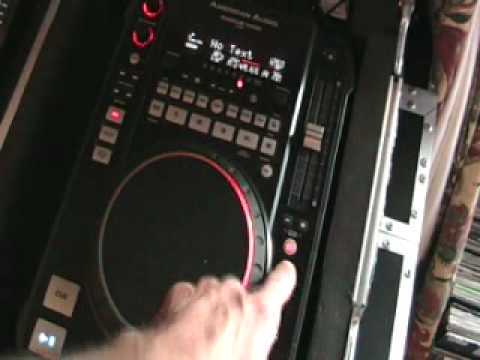
American Audio Radius 1000 Midi , Pitch,key lock, pitch bend
Contents of the video
0:00 Pitch control, we're going to concentrate
Alright folks, another video for you on this piece of kit here. It's from a company called American Audio. This is a tabletop CD player. It's known as the Radius 1000 MIDI. In this video we're going to mainly concentrate on the pitch control, we're going to concentrate on key lock and the percentage of the amount we can increase or decrease the speed, also the pitch bend. Now first of all what I'm going to do, I'm going to press this button here with a percentage sign on it. And we've got a green light shining next to the number 4. By the way, look in the description for all relevant links and for the name of the track. Let's play the tune. I'm going to move the pitch control away from me to the minus position. What's happened is the track has slowed down by 4%. Bring it up to the centre. Now move it towards me to the plus position. The track will speed up by 4%. Back to the centre.
2:07 To the centre, speed it up
Press the percentage, we'll go to the number 8. We can see that highlighted with a red LED. Move the pitch to the minus position. The track will now slow down by 8%. Back to the centre. Bring it towards us. The track has now started to speed up and is now faster by 8%. Back to the centre position. Exactly the same with 16 when we hit amber. Away from us. Minus 16%, back to the centre, towards us, plus 16%. Centre, press that again, blue, we're now on 100. Slows down, speeds up. Okay, now above the 100, we've got a button with what looks like a lock, a padlock on it. Let's press that. I'm going to press the percentage again, get back to number 4. Let's slow the track down. What's happened now is we've slowed the track down by 4%, but we've got what's known as key lock. What that will do, that will let us slow the track down, but it will keep the same tone of the track. To the centre, speed it up. The opposite now. We've now got the track faster by 4%, but we've kept the same key, the same tone. To the centre, we can do exactly the same.
With 8, minus, plus, centre, 16, minus, plus, centre, 100, minus, plus, an idea for you here. Cue the track, get it ready, pitch all the way down, we're on 100, press play. OK, so that's key lock. I'll go to plus and minus 8%. Now we've got these guys here, pitch bend, a minus and a plus. At the moment, we're on 8%. So if I hit the minus and keep my finger on it, the track will only go down to minus 8%. Plus, it will only speed up 8%. 16, minus 16% if I keep my finger on it continually. Plus 16% if I keep my finger on the plus continually. Exactly the same applies for 104.
4:28 We press that and now the pitch control is disengaged
If I want to pitch bend very slightly, all I need to do is just put my finger on the minus to slow it down or the plus to speed it up for maybe one second. Let's get a 16 so you can get a better idea. Plus, 100. Lastly we've got this button almost that looks like it's got a sun on it. We press that and now the pitch control is disengaged. So whatever we do here We'll have no effect on the pitch whatsoever. Okay, a bit of an insight and a demo for you on the main functions here, the pitch control, pitch bend, key lock, percentage of pitch adjustment on this guy here, the American Audio Radius 1000. Practice and enjoy.
This transcript was produced automatically from the audio of the video and may contain mistakes.





