 2:34
Behringer Digital pro mixer 4000, A look at the Sampler
Contents of the video
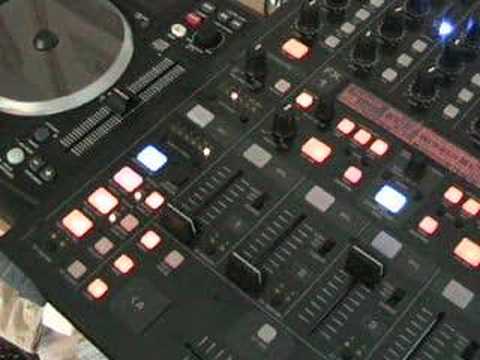
Alright folks, another demonstration straight tutorial for you on this guy here. It's from a company called Behringer, sometimes known as Behringer and it's the professional digital DJ mixer. It's the DDM-4000. In this video we're going to have a very basic look at this area here which is the sampler area. I've got a track ready to play on channel 3. Press the on off which is just above where it says sampler. When the light's shining that means the sampler is ready to be used. It's the volume control for the sound of the sample. What I'm going to do now is below that we've got record source, 1-2-3-4, MIC is microphone, MST is short for master. I'm going to set this so we're ready to sample now on channel 3, which is this one here. Play the music. Bearing in mind this is a very, very basic video. The track you're going to be listening to is entitled Wearing My Rolex. Here now we've got a blue light and it says record in.
Just below that we've got out. So in other words, when we hit in, the sample will start. When we hit out, the sample will finish. Okay, we've got a bit of an echo. I'm going to press pause on the music source. Now that's our sample. Have a listen. Now again, below the volume mix dial, we've got record source. So what I can do now, I can go to 1, 2, 3, 4. As you can hear, we're only actually hearing the sound when we're on channel 3. That's because that's where we are. If I go to 2, watch, bring channel 3 down, make sure the crossfade by the way is either disengaged or in the centre position and then have a listen. And start to mix. There's the original music source, and there's the sample now put to channel 2. A small brief video for you on the sampler. There's more to come, practice and enjoy.
This transcript was produced automatically from the audio of the video and may contain mistakes.





