 5:34
Denon DJ SC2900 Short Review of the Features Video 1
Contents of the video
0:01 It's from a company called Denon DJ
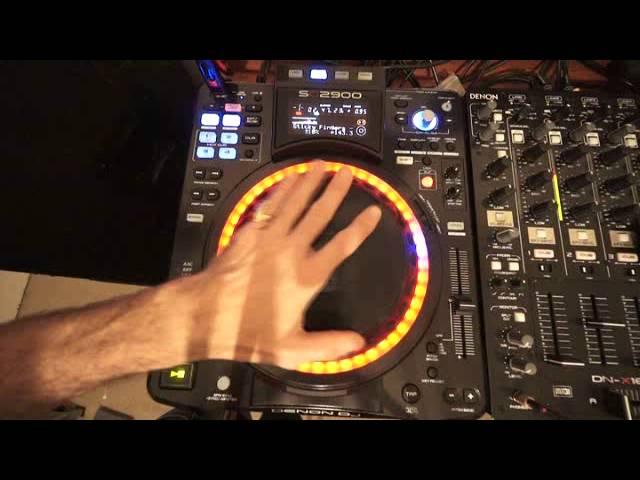
Alright ladies and gentlemen, a bit of a review. Also showing you a few of the features of this CD player. It's from a company called Denon DJ. It's the SC2900. It's a CD player, it's a multimedia player. It can play from a USB, also your PC and from CD as well. Touch sensitive, jog wheel at the top and a nice feature with the lights, the LEDs. Following the track really. The track we're listening to is Sticky Fingers. First of all, one good feature is the auto loop. So I'm just going to press the minus or plus and we can increase or decrease the amount of loop we want. So this is just one beat, press auto loop, exit loop, and there you go. So we've got 128, 256 beat loop, 512 beat loop. That's crazy.
1:41 We'll just do those
64, 32, 16, 8, 4, 2. So increments, well it doubles basically. So go into four, exit the loop. You can also do a loop manually. In, out and shake it all about. And when you do a loop manually, you can again increase or decrease like that. I'll just clear that one hot cue. Four hot cues! So we'll just do those. 1, 2, 3, 4. 1, 2, 3, 4. 1, 2, 3, 4. 1, 2, 3, 4. To clear them, press down on CLR and away you go. Alright, track search there and fast search through the track. You can reverse as well. I have noticed there's a very, very slight digital sound but nothing to worry about really. Talk adjust.
That's all to do with the platter itself. So you can see, set to light, you've got quite a good spin back, but you can set that to heavy, the platter won't move as much. Slip mode, engage slip, really good feature. What that means is no matter what you do on the platter, the underlying track will carry on playing. So if you're not very good at spin backs and catching it exactly on the beat, you don't have to worry, you can spin it back and it'll just carry on as normal.
3:25 Very simple way of looking at the player at the moment
Okay, very simple way of looking at the player at the moment. I will go slightly more in depth in a future video. We have vinyl and touch-a-DJ. I believe that's what they call it, touch-a-DJ. So now, touching the top of the platter and you're in what's called, I suppose it's like jog mode, isn't it? You can jog the track forward when you turn the platter clockwise, jog it backwards anti-clockwise. You will only speed up the track while you're moving the jog wheel. As soon as you stop moving the jog wheel clockwise or anticlockwise, the track will go to the original speed wherever it was on the pitch. You can pitch up from plus or minus 6, 10, 16 or 100. What does that mean? Well, let's have a look at 10%.
Key adjust.
And a great feature, of course, is the pitch bend. This is great if you just need to nudge it slightly. Let me just move that down slightly. You just need to nudge the track on slightly or back slightly. OK, that's pretty much it for this video. Again, we're looking at the SC2900 from Denon DJ. If you want any more info... Check out the link in the description and it should take you to the Denon website where you can get a lot more on this piece of kit. Practice and enjoy, thank you.
This transcript was produced automatically from the audio of the video and may contain mistakes.





