 6:49
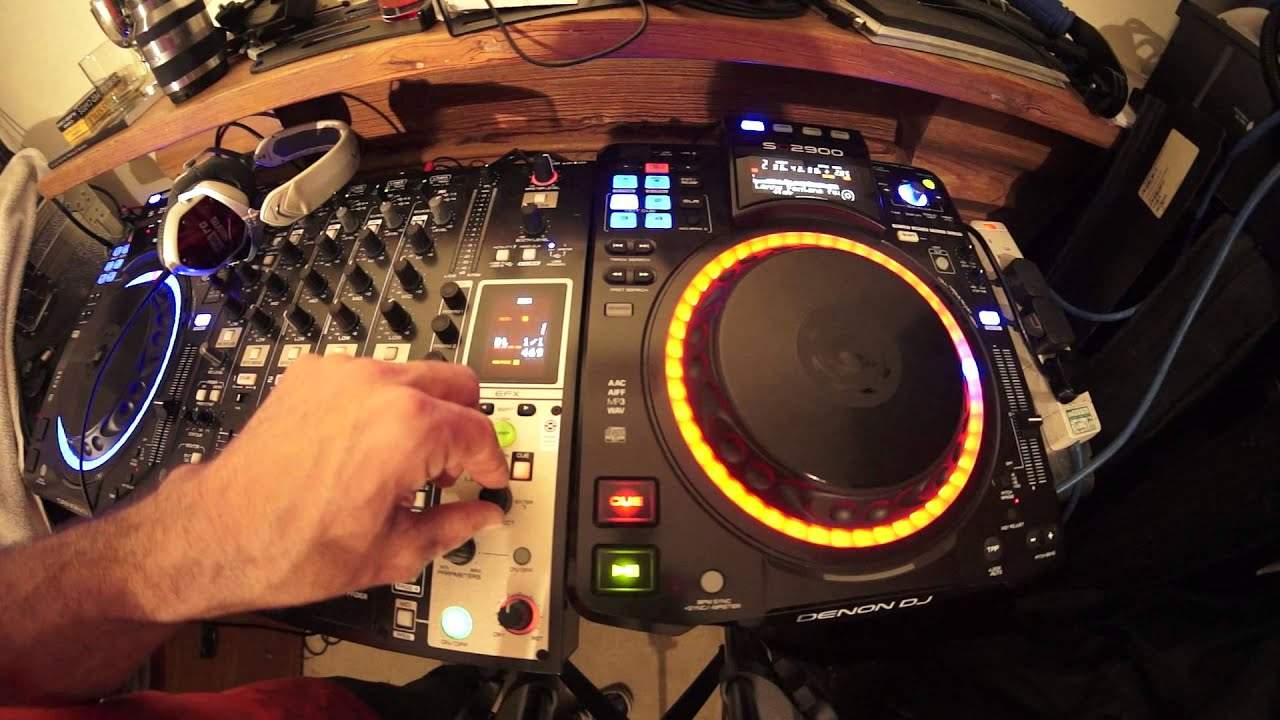
Denon DN-X1600 DJ 4 Channel Mixer Delay Effect
Contents of the video
0:00 In this video is the delay
Alright ladies and gentlemen, in this video we're looking at the DNX1600. It's a four channel mixer from Denon with some absolutely stunning effects. What we're going to look at in this video is the delay feature. More importantly I'm gonna show you how big and bold and fantastic using the delay feature correctly can explode a 4-4 house cut. First of all, if you're a new DJ, let me talk about 4-4 time. House music is, of course, a steady kick drum. 1-2-3-4, 1-2-3-4. What will the delay do? Well, pretty much it will sample the track that's playing and then it will play... That track or the, it will record part of the track and then it will play that over the track that's playing. So it's a little bit like, let me give you an analogy here. It's a little bit like my hand moving forward and all of a sudden as I move my hand forward, you start the delay here.
2:10 To the delay effect
On my knuckles and then my fingers take over so my fingers are almost copying what's going on and then it happens again so what's happening is as the track is moving forward and that the delay is engaged it the track starts to copy itself it starts to overdub what's playing so imagine for full time in other words one 1, 2, 3, 4. 1, 2, 3, 4. Now when you use the delay 1 over 1, all you're doing is you're copying exactly what's playing. So you won't have much of an effect. What you need to do is use three quarters. So first of all I'll give you a demonstration using the delay 1 over 1. To the delay effect. Okay, right hand side we have our effects and you can see the screen there, we have delay quite clearly visible. What I'm going to do, I'm going to now turn this dial that has underneath it EFX select. So as we scroll, as we move the dial clockwise and anti-clockwise, we go through all the effects. All you need to do is get to the delay and then press down.
When you get to the desired effect, it will flash. What you have to do is press down. That will engage the effect. We're on delay now and as you can see we're on 1 over 1. OK, so what I'm going to do, I'm just going to press play on the track. All you'll hear is just a basic 4-4 beat. Disengage, sorry, beg your pardon. There it is. Just start that again, so let's just rewind it back a little bit. OK, now all you'll hear is a 4-4 beat. OK, there you go. What I'm going to do now, I'm going to... I'm not going to edit this, it's quite funny, but there you go. I'm going to engage now the effect. So we'll now engage the effect and I'm going to do exactly the same. Press play on the player. The player I'm using, by the way, is the SE2900.
Okay, so what's happening? If you can hear it, it's almost like a tap, tap, tap, tap, tap. All the beats, they're overdubbing each other, so there's no defined delay. It sounds as though we're just having two tracks exactly the same and all we're doing, we're starting one on the one and we're starting one on the two. So instead of a bum-cha-bum-cha, you're getting a bum-bum-bum-bum and you're getting a cha-cha-cha-cha. What we want is we want to have a defined difference in the delay. We want to make this effect work and you can do that by simply below the screen EFX. We have beat, we have two little arrows, one to the right, one to the left. I'm going to press the one to the left. Now we're on three quarters. Okay, this is where the DNX1600 comes to...
4:33 Bearing in mind all we've got is a beat, nothing else
Life, and I mean it absolutely comes to life big time because now we can make this track sound fantastic. Bearing in mind all we've got is a beat, nothing else. I'm also going to use the cue as well. So let's first of all disengage the delay effect. I'm just going to mess around with the play and the cue. Right, pretty straightforward. Engage. Now, let's have a listen. We've now made a very basic 4-4 beat come to life. This video, by the way, is going out to Mr. Carl Detkin and also Ian, alright? Thank you very much for watching, practice and enjoy. Any more info on this mixer, DNX 1600, Also, the player is the SE2900. Check out the link in the description. The tune I'm using, by the way, is by Mr. Lenny Fontana featuring D-Train, a track entitled Raise Your Hands. Practice and enjoy. Thank you.
This transcript was produced automatically from the audio of the video and may contain mistakes.





