 7:28
EXPAND COVER short product review video 1
Contents of the video
0:07 This is my first product review on one of the screens from expand-cove
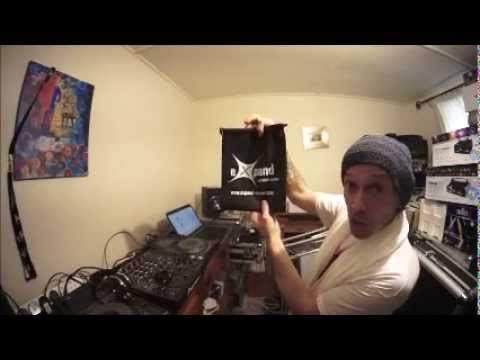
Alright guys, this is my first product review on one of the screens from expand-cover.com. There it is. Go and check it out, Stretch Covers. I will put information in the description. Now first of all, this video is targeting not just the mobile DJ, this video is targeting anyone in the entertainment industry or for that matter, it could be targeting anyone who wants to, let's say, have some form of effect. Right, let's go back a few years to when mobile DJing started. Mobile DJ would have had maybe a couple of FAL lights, one either side of them, pin spot, mirror ball, that was it. What the FAL lights did though was cause or give you an effect, give the DJ more of an effect. They weren't just there to push colour at the crowd, they were also there...
To make the DJ console bigger, make it look better, make your DJ show, roadshow, look a lot bigger. That there is an easy pin from Chauvet. It's a very good light, it's powered by a battery, it's LED and behind me you can see that gives an effect. But imagine if this was a moving head and that was pointed at the crowd and this moving head was £10,000 or £2,000. Imagine you had 10 of them. So from the crowd's perspective, all you would be seeing is one pin of light against the crowd, of course. But sorry, I'll start again. From the crowd's point of view, you would just be seeing 10 points of light moving around. So imagine as well that space of area. So something that big. You'd be seeing that behind the DJ 10 times, which isn't that much. Not really.
2:20 I have got here a very cheap and cheerful laser
What the crowd want to see is they want to see a big light show with lots of lights but also lots of effects for the DJ. This is the key, for the DJ. They want to see something big behind the DJ. This is why a lot of DJs now have moved over to say video DJing because now the DJ not only... He's got lights pointing that way, but there is a show behind or in front of the DJ for the crowd to look at. So take that on board. So how can you do that? Now I have got here a very cheap and cheerful laser. I'll turn that on and hopefully turn it on like that. There you go. So if I point that now there, you can see that's giving quite a nice effect. So, again, that's giving an effect behind me. So, that's a great way of showing up the effect. But, of course, the trouble is, if you are in, say, a room that the wall's got pictures on it, it's got lights on it, it doesn't look that good, then you're going to be giving the effect on something that just doesn't seem right. It's as though it's out of shape.
What you need is you need maybe a background that is flat and is in keeping with the show. So, for example, all right, this screen here is one of the biggest they've got. And if I just start my computer, it is 1.5 meters by 2.8. Now that is unstretched. When you stretch it, it can go up to 3.1 meters by 4.2, which is absolutely massive. So, there's the screen. I'm going to turn the light off now in the room. Let's go past. Try and squeeze past. Right, okay. So, there you go. You can just about see the laser up there. That's pretty much it. I'm going to move it down like that slightly and now point it there. And now you can see that the laser is giving an effect on the screen. Now again, I've got quite a wide angle lens on this so it's probably very difficult to see this but this is only my preview video. There are more to come. So take that on board. So what you've got is you've got one or two of these screens behind you and then you've got the effects on the screens. So no longer have you got let's say this really expensive moving head that's pointed at the dance floor.
4:54 What you've got is you have got an effect
No longer, also you have to consider, no longer have you got this fantastic moving head that's maybe pointing at the walls around the room, which is a very good effect. What you've got is you have got an effect. You, the entertainer, you the DJ has got an effect around you. Now that's the key. Because people want to see you. They want to be drawn to the centre point where the music's coming from. And if all they can see is the DJ and a couple of lights facing that way, and all they're looking at is a pin of light, a small amount of light that starts off quite small but ends up being quite big, of course, that's fine. But where the effect ends up being a lot bigger is on the dance floor or on the wall.
You don't want them to look that way, you want them to look at you. So if you've got some good effects, then that is the key. Now I've just shown you a laser light there. Now even if you're not a video DJ, a VJ, have you ever considered maybe getting a couple of projectors and getting some images? And then relaying those images on a couple of screens either side of you. The DJ Tutor, the DJ Tutor.
It's absolutely huge. And also, one of the good features is that they're fireproof as well. So you haven't got to worry about taking cloth into a room and someone saying to you, well, I'm sorry, you can't use that because it's going to burst up in flames. It's not. It's fireproof. Go and check out the link in the description. It gives you more information about the website and all of the products they've got. Practice and enjoy. Thank you.
This transcript was produced automatically from the audio of the video and may contain mistakes.





