 8:28
How to Spot Your Pitch Isn't Working Properly on a Vinyl Turn Table
Contents of the video
0:01 How do you know when your pitch needs changing on your turntable?
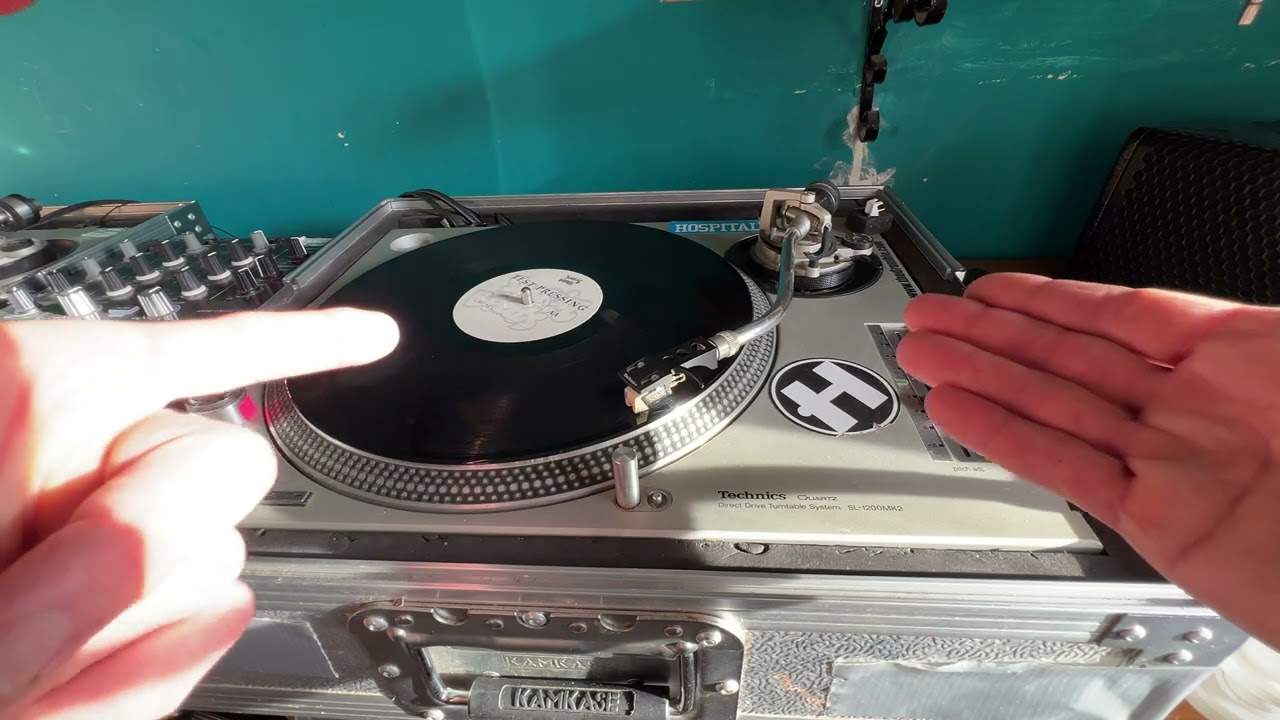
Right, ladies and gentlemen, how do you know when your pitch needs changing on your turntable? Well, of course, if you're having difficulty beatmatching or there's something just not right, then very likely that is the time. Now again, with turntables like this, this is the original 1200 Mark II, it's getting on a bit. It's probably got to be 30 plus years old, but it still works. It's been seen and done, it got the t-shirt, but very likely the pitch has never been changed. Now with the SL 1200 Mark II, we do have kind of a click in the centre position and this is down to inside the pitch itself, also known as a pot. You have a small mechanism here and you've actually got a small tiny, ball bearing. So what happens is the ball bearing normally runs along a metal strip,
But then around this position, right, well not around, dead centre, there's a small kind of hole where the ball bearing that's positioned in front of a small spring, so the spring is actually trying to push the ball bearing that way, but what's going to happen is as it moves along there's a small hole on the opposite side. And of course, as soon as it hits that hole, it clicks into the hole. Hence, that's why we have that sort of clicky bit right at the centre. Now again, with vinyl turntables like this, not just the Technics SL 1200 Mark II, but if you've got old school vinyl turntables, then after a bit of time, you are definitely going to get a lot of wear around the centre position. So the first thing to do, if you do
2:03 Track, centre position, pitch centre
Have a dodgy pitch, you're going to want to make sure that you don't hit the ball bearing. And I'll show you how you can find out if you have or haven't very soon. If you think you have, one way of getting around it is to maybe bring the pitch a little bit towards you and then work around this area here or away from you and work around that area. Now that's easier said than done because if you're going to be mixing seven or eight tracks which is what I'm going to do, eventually you're going to be all over the place anyway. But there is a way around it and I will explain. So let's say for example, you've just mixed in your second track on the turntable that's a little bit dodgy and now you're on your third track on the other side but the third track means that
You, it's the third track sorry, is okay, you've mixed the third track in so that pitch now is set but then when you bring the fourth track in, you may think now oh shit the only way of mixing it in is to go back into the centre area because of course you may have to slow this one down or speed it up. So if you've got to slow it down, you're going to bring it down to the centre position. If you've got to speed it up from that position, you've got to bring it back up to the centre position. So the way to get around that is the track that you're actually playing on the other slow that one down slightly during the course of it playing or speed it up which means you don't have to move this closer to the centre position. So I'll explain in greater detail, let's say
The other track is a lot faster and oh sorry the other so you've got your pitch here above the centre position so it's going faster but the other track is say slower and the track coming in now this one you're bringing in is a lot faster so what that means then you're going to have to slow this one down because this one's slower than the other one. On the other hand though, the one that's playing if you then speed that up while it's playing so it's faster then theoretically if you get the speeds correct in your ears then all you need to do then is still play around this position on this deck so that's just a way of getting away, a way of getting away, a way of how to compensate for the fact that maybe the pitch is a bit dodgy. So let's start her up
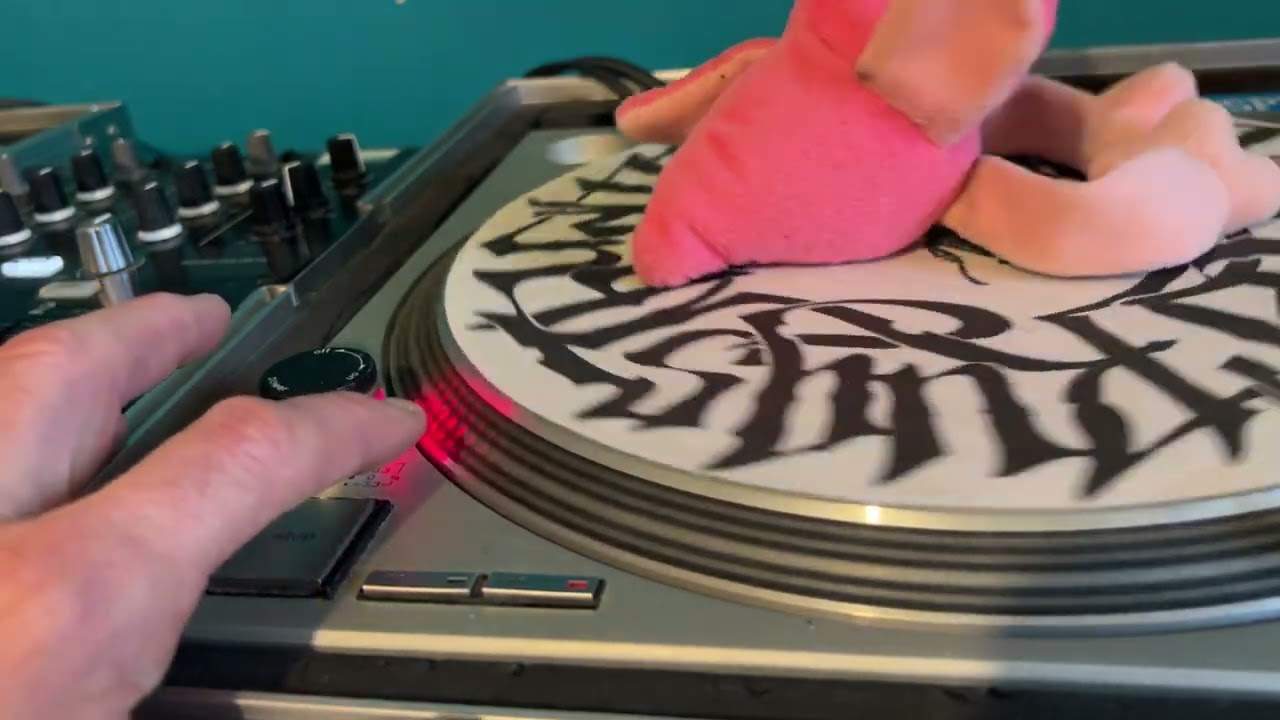
And I'm going to put that back in the centre position so what I'm going to do now is just move the camera over a little bit there and zoom in okay so what we're looking at now is we're looking at these dots now again when the pitch is at the centre position and you can't see that now but I'll explain what I'm doing while I'm doing it. Pitch is in the centre position what I'm going to do I'm going to bring the pitch towards me now so it's now I'm bringing it towards me now what you should be able to see is the centre dot has started to move almost like in an anti-clockwise direction so it's moving towards the camera and I've moved the pitch from the centre position towards me, so So theoretically, technically, I'm starting to speed the track up.
5:49 What that tells me straight away is the pitch isn't working correctly
But watch this. As I start to bring the pitch towards me, now that dot has stopped moving. I'll still bring it towards me. And now the dots, I don't know if you can see, are starting to move away. And we're looking at the centre dot. So what that tells me straight away is the pitch isn't working correctly. I need to change that pitch. So a perfect example of a pitch on a turntable not working. Now, what should happen is this. As I bring the pitch towards me, the dots should start automatically. You see, hold on, I've gone too far there. Let me just bring it slightly. There we go. Just off the centre position. We can see now they're moving towards me very slightly. What should happen? As I move the pitch a fraction away from the centre position.
So we're no longer in the green. If I show you there, you can see no longer in the green. The dots on that centre circle should automatically start moving clockwise away from me. And they should carry on moving away from me. So in a nutshell, if the dots move. One direction slowly and then the other. That means the pitch needs changing. Now, again, if you're really good at mixing, you'll be able to compensate for this anyway. As I explained at the beginning of the video. OK, so I'm going to start bringing it towards me. And now we can see the pitch. OK, not the pitch, sorry. The dots moving away. So I know now that the pitch, when I bring it towards me. There's a bit of a fault there. It's probably worn away.
Now, let's just do the opposite now. I'm going to move the pitch away from me. So it's just off the centre position now. Now I can see the dots moving slightly towards me. And as I increase or decrease the speed, should I say. We can see that the dots are going faster and faster. So in a nutshell, the pitch here. There's a problem. With it speeding up, but there's no problem with it slowing down. All right now again, I can get away with that. I'm used to it, but someone who isn't used to it. They may think, damn, there's something wrong with my mixing, but there probably isn't. It's just the issue is with your pitch. So I hope that's a help. Don't forget like and subscribe. Let me know in a comment what you think of this video.
If it has been any help. Good old pinky Ella there. On a mission. Thank you for watching practice and enjoy.
This transcript was produced automatically from the audio of the video and may contain mistakes.