 4:18
KAM LED Powerbar Video 1
Contents of the video
0:00 Video demo number one on this light from a company called Cam
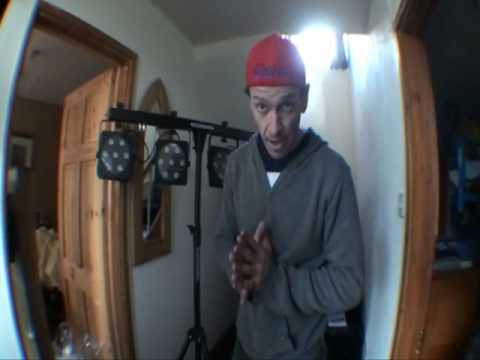
Alright guys, video demo number one on this light from a company called Cam. It's known as the LED Power Bar. The unit itself comes with the four lights at the top. We have a tripod and also that guy there which is a foot switch. Right, the front of the actual bag itself. We've got an area there where you can put the foot switch. The tripod itself comes with its own designated bag.
1:06 Three colours, area power, each
Right, there you go. It's on the tripod. Now I just want to, I'll pause the camera, I just want to draw your attention to this area here. It's quite important. Right, what a lot of people tend to do is tighten this up here and of course in turn that will secure the bar here. But there's no need to do that because what we've got, if I just untighten that a little bit, we've got this thing in here. Now the whole purpose of that is so it's secure like so. Now if you wanted to, can you see that can move around very slightly? All you need to do is just put that finger tight and there you go. Now again as I've always said the whole reason of video number one during the day is so you can see exactly how bright it is. So if I move it like so we can set these in sort of any direction at all. Now I'm a DJ, mobile DJ, and something like this is ideal let's say
2:40 This guy here is a dial for microphone sensitivity
For just lighting the dance floor itself, but bands, cabarets, comedy acts, you know, I'll be honest with you. I mean, I'm not saying you should forget your PAR64s, but at the end of the day, they do get rather hot. They do burn up a lot of electricity and the bulbs go continually. LEDs seem to last for a lot longer. Okay, each of the units has got seven 1-watt tri-LEDs. So in other words, they're three colours. Each one of these is three colours. 1 watt, 7 on each, 7, 14, 21 and I believe 28. We're looking at the bar itself at the moment. Now that area there is for your power in. That guy there is for your swoots... swootfitch. I'm going to leave that in. Foot switch. Right, take two. That area there is for your power in.
That area there is for your foot switch, not your fit swatch. This guy here is a dial for microphone sensitivity. So in other words, if you just can use this sound to light, you can turn that up or turn it down depending on how close or far away you are from your speakers. Right, okay, DMX in and out. So you can use this like a master slave or sound to light or let's say through a DMX controller. And also here you've got your menu there to set it how you want to, microphone there that will pick up the sound. And also something quite clever here, tiny little things sometimes do mean a lot. A couple of eyes there, so in other words what you can do, you can maybe not only have this on your tripod but also hang this let's say from a lighting frame, a lighting rig as such. Fitzwoods. No, that, turn it on.
And if I talk loud like that, it starts flashing! Well, you did ask, didn't you? Ah, there you go. Video number one on this guy from Cam. As you can see, it is rather bright. LED power bar. Practice and enjoy. There you go. You can close your eyes now.
This transcript was produced automatically from the audio of the video and may contain mistakes.





