 4:23
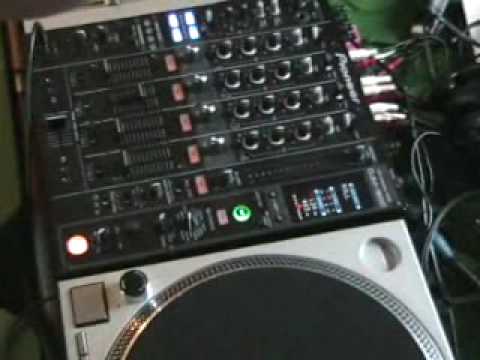
Messing about with the roll feature on the DJM800 mixer
Contents of the video
0:00 Basically it samples music
Alright guys, a couple of videos ago we looked at the DJM800 mixer and something called the roll feature. Basically it samples music. It can sample it in a 16th, an 8th, a quarter, 1 over 1, it can sample 2 beats, 4 beats, 16, I'm pretty sure 32 as well. What I did, I explained by pressing the button here on the bass beat, we will sample the bass beat as a whole. Now, what we can also do in this video... What we've got is, we've got these two buttons here. In the middle we've got something called beat. Now by pressing the button to the right, we can actually take that sample from just one beat to two beats, to four beats, to eight and to sixteen I'm pretty sure. And then we can also reduce that to half, a quarter, eighth and a sixteenth. So by messing around with these buttons
And pressing them at the right time, we can do some cool effects. Now I may make a few mistakes here, but the whole idea and the whole emphasis of this video is to show you what you can do when you spend a little bit more time, because I haven't really got much at the moment. So what I'll do, I'll wang the camera a bit closer, because ideally we need to look at this area here. So if I just try and wang it about there, that should do. And if I move back a little bit, because you want to see the buttony bit as well. Okay, so we'll play the music and we'll have a bit of a mess around. The only thing I will say, and again it's about practice, I haven't set this out perfectly yet, but if you're going to start going to half beats and quarter beats, you're actually going to have to hit that button before the beat comes in to get it in time. I suppose the easiest way of explaining it is if you go above the one beat, in other words you go from one and you hit the right hand button and then you go, let's say...
3:27 Half beats, as in wah-wah-wah-wah-wah-wah-wah
You can actually hit that button at the right point and you will get it in beat. If you go to half beats, as in wah-wah-wah-wah-wah-wah-wah, and quarter, wah-wah-wah-wah-wah-wah-wah-wah-wah-wah-wah-wah-wah-wah, you're actually going to have to hit that button before the beat to get it back in beat. Now to a lot of people that may sound like, what the hell's he on about? But hopefully to some you will understand what I'm on about and maybe in a future video I'll draw it on some dodgy piece of paper and maybe you can understand where I'm coming from. So basically this particular video is showing you that you don't just have to sample a bit of the music and have it one over one, one, one, one. By messing around with these guys here you can actually...
Just mess around with that beat and have a little bit of fun with it. I hope this has been a help, and by the way, practice and enjoy.
This transcript was produced automatically from the audio of the video and may contain mistakes.





