 6:19
Pioneer CDJ-850 & Rekordbox 1.4.1 Video 2
Contents of the video
0:00 This is the program rekordbox
Right guys, this is the program rekordbox. First of all, there is an update of 1.4.1. Right, here we go. Now, bearing in mind that the rekordbox software is your music management software for your CD players. Also, don't forget, this particular software can be downloaded free. I will put a link in the description. It'll even be a lickable clink. Right, we're going to go up to the top here where it says File. And I'm going to click on that, just below that we have import and I'm going to go over to track. Now on the other screen, I'll just drag that over, there it is, I'm going to drag on this wizard sleeve tune. So what I'm going to do is highlight that, go down there to open and that should be it. At the moment I'm in collection. We have playlists, we can have hot cues as well.
Tag list, info and down here we can have device as well. So I'm going to go to my collection and somewhere down here, hold on, in fact if I go collection like so, I'll just scroll down, where is it, let's have a look. Sorry, beg your pardon, I couldn't see it because it was in small writing. There it is, Get Down Tonight Wizard Sleeve. Highlight that, I'm going to drag it up to that area up there and we can press play and away we go. Now again what we can do here is if we had artwork we'd have the artwork showing up here and if you've got any of the other players, the likes of the 2000, you will get the small little icon there as well on the screen. So if I want to I can do some loops, quantize the loops.
2:03 Set hot cues, etc
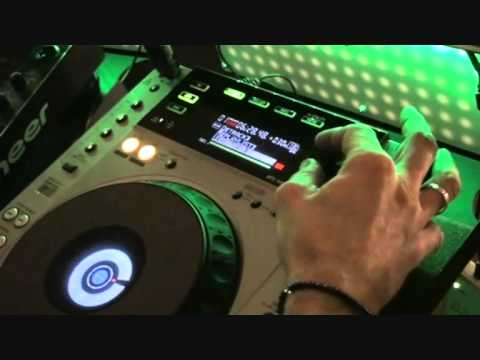
Set hot cues, etc. etc. Right, we've got this track on here now. I'm going to pause that. What we're going to do, we're going to take this particular tune and put it on the 850. By the way, this particular video is going out to Mark MH Project Hughes. Alright? Easy mate. Let's go and take a look at the 850. Right, here we go. I've put thumb drive in the USB port top left hand corner. At the moment we can see artist, album title, track, playlist, history. Go through search, folders, key, even BPM. So if you've tagged all of your files correctly in the rekordbox software, you can find the BPM, find the key, folders, etc, etc. Right, what I'm going to do is go up through to Artist, click on there and again, if you've formatted it correctly, everything should be in alphabetical order. So we'll go down to find the track which is Wizard Sleeve, press and theoretically...
3:37 Video 2 looking at the Pioneer CDJ-850
We're good to go. Now what they've done here is they've got a player that is, you know, on the verge of being the pro sort of player you'd associate with a bedroom DJ, on the verge of getting into the club style. The one thing it hasn't got, the 850, is the digital out. It's a bit of a shame that I would have thought they would have done that but, you know, never mind, I mean that's just my own opinion. But again... One feature that I do like and I truly, truly believe it is a must with all CD players is vinyl mode. I mean, if you're in CD mode, you can manipulate the music by doing this. Instead of spinning it forward, you can almost just make it glide a little bit forward by moving the jog wheel clockwise or glide it backwards or slow it down, sorry.
Video 2 looking at the Pioneer CDJ-850. Quiet us and enjoy, thank you.
This transcript was produced automatically from the audio of the video and may contain mistakes.





