 5:13
PIONEER DJM-700. Using the Roll feature in the mix demo
Contents of the video
0:00 I'll pause the camera and we'll have a closer look at the mixer
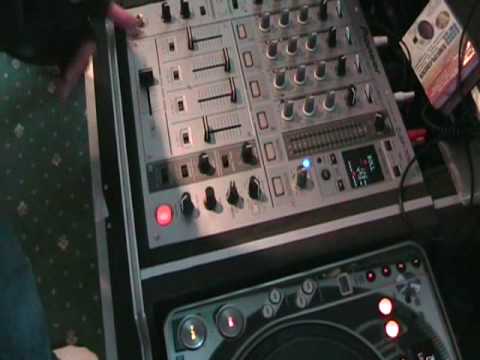
Alright folks, in this video we're going to do some crazy things with the Pioneer DJM700 mixer. So I'll pause the camera and we'll have a closer look at the mixer. Right, as ever, look to the side of the video for the name of the track and any relevant links. So we're going to play this track here. I'll just put it forward a little bit. Okay, what I'm going to do, I'm going to form a loop. I'm going to pass that loop over to another channel, then I'm going to bring this track back in and then maybe mess around with the loop while the other track's playing and maybe while it's not playing as well. In other words, we're going to have a bit of a mix and mess around. Right, a couple of things you need to do as well. First of all, you need to make sure that your crossfade is on the B and A position. In other words, the one channel is on A, the other channel is on B, so you can use the crossfade.
To maximum, and I've got this guy here, this switch set to number three because I'm going to sample a part of this track which is channel, is it plugged in should I say, to channel three at the moment. So what I'm first of all going to do is I'm going to play this guy here. I've also got the roll feature set to one over one up here which is one beat, the count of one. So it'll just roll one. One, one, one. Like so. And I've got this guy here, this dial set to roll. There's a small box with roll, reverse, up and down. I've got it set to roll. So let's play the music. Again, with the level depth set to maximum, I'm going to hit this button in time on the count of one in a bar. One, two, three, four. One, two, one, two. I've got a roll. Now because I can use the crossfade, I'm now going to assign that roll to...
1:52 I'll just hear the original track and I won't hear the roll
Channel 2. All I need to do is click from channel 3 to channel 2, but make sure the crossfade's halfway over. If it's not halfway over, this'll happen. I'll just hear the original track and I won't hear the roll. So let's go back to the roll, over to the middle, 2, 3, 4. Now I'm back onto the roll. What I can do now is press pause, cue, get it right back to the beginning of the track, bring the original track back in. Original track on channel 2. I can reverse it by hitting reverse. Back to roll, roll, four. One, two, three, four. One, two, three, four. One, two, three, four. One, two, three, four. So on reverse, do this on the fly. Back to the roll, reverse roll, switch this back to the original roll. Original track back in. What I can do as well, I can mess around with the frequency filter on the roll. Crossfade in the middle, frequency up.
As I've always said, it's about experimenting, having a little bit of fun, practice and enjoy. Thank you.
This transcript was produced automatically from the audio of the video and may contain mistakes.





