 1:47
Reloop Digital Jockey 2 Interface edition Video 3
Contents of the video
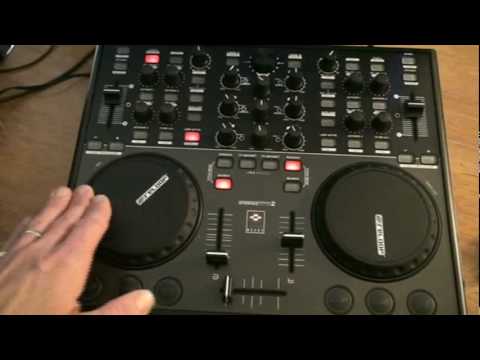
Alright folks, video number 3 on this guy from Reloop. It's known as the Digital Jockey 2. In video number 3 we're going to look at some of the basic functionality of the hardware, which is this guy. This particular hardware comes with this software here, which is known as Traktor LE. Now on this guy we have crossfade, two volume controls, this one is for the left hand deck, this side over here is for the right hand deck. Now these platters are not dissimilar. To the likes of a platter on a real vinyl turntable or separate tabletop CD player, all the likes let's say of a 19-inch rack mount CD player that does have what's known as a jog wheel. Alright, if we have a look at the screen while I manipulate and move there, you can see I'm actually being able to manipulate the wave format which is in turn the music on the PC. Right, we have bass, mid and treble.
Also we have effects on this unit, but again we need to choose the effects from the program to enable us to use the effects on the hardware. We can sync the beats, so for example let's say this side is 120 BPM, the other side is 124 BPM. By using the sync buttons we can sync the beats so they perfectly match together. We have this guy here which will increase and decrease the speed of the music and we can do that by ourselves. The DJ Tutor is a software that allows you to control the sound of your tracks by using the key lock mechanism.
This transcript was produced automatically from the audio of the video and may contain mistakes.





