 4:12
Traktor Kontrol S4 from Native Instruments Video 3, Mess about with samples
Contents of the video
0:00 Video number three on the Control S4 from Traktor, all native instrume
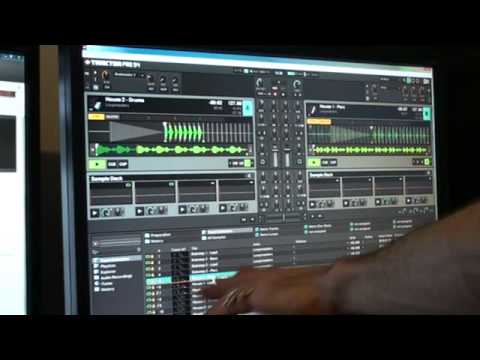
Alright guys, video number three on the Control S4 from Traktor, all native instruments. Now, video number three, what I'm doing is I'm looking mainly at the samples that come with the program and with the piece of hardware as well. I've been having a bit of a mess around, and to be quite honest, it's good fun just to mess around with the samples they've got. So what I'm going to do is just put the camera... On the screen. Now bearing in mind you do not have to be an expert at all, now I'm a touchy-feely sort of guy, I like the hardware, but to be quite honest, to mess around like this is good fun. So if we just, let's have a look, that'll do about there. Now I don't know if you can see, we've got PEC for percussion, lead for lead, drums for drums, logically bass for bass, PEC for percussion again, lead and bass. These are house dubstep above.
1:27 Bass down here so that you
So, what I've done, I've set just the two decks at the moment on synchronization. In other words, what will happen is the program will automatically sync the beats. Also, they're on loop, so as soon as it comes to the end of the sample, it will go directly right back to the beginning, keeping it in time. So you'll have continuity with the time, timing, the beats, the bars, etc. You know, you can't really mess it up. Now check this out. Now that's percussion. What you're going to hear now are the drums. Let's bring the percussion in with the drums. Right, what I'm going to do, percussion here, drums there. I'm going to take the percussion away and bring in the bass. So what I'm going to do using my mouse just for now, I'm going to go to the bass down here so that you can see. And I'm just going to take them over and drop that in.
2:20 Bring the bass out
I'm still holding the mouse down and I've moved the volume down on the hardware. You can see that as well on the PC. Let's bring it back up and down. What I'm going to do now, I'm going to take the drums away and I'm going to bring in the lead. So drag that up. Put the drums back in. Bring the bass out. Here we go. I was off there a little bit. Three, four. Come back in with the bass over the lead. Here we go.
I'm doing this just on the two decks. Imagine what you could get up to with four decks with your own samples, alright? Video number three, if you want any more information on this guy here, I'll put a lickable clink in the description that will take you to the Native Instruments website. Practice and enjoy.
This transcript was produced automatically from the audio of the video and may contain mistakes.





