 4:31
VESTAX VCM-100 with traktor 3. DEMO, VIDEO 1
Contents of the video
0:00 It's a USB MIDI and audio controller
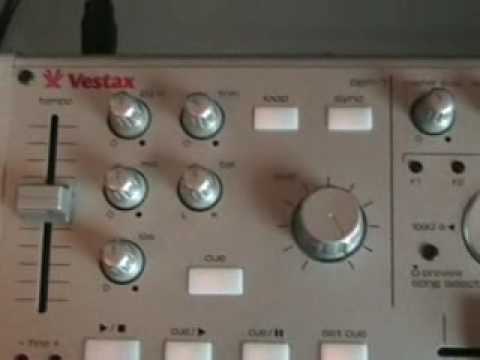
Alright folks, if you're watching this video around about May 2008, do me a favour, follow the link in the description. That will take you to DJTutor.com and you could be within a chance of winning one of these guys from a company called Vestax and it's known as the VCM100. It's a USB MIDI and audio controller. Now for all you people out there who haven't got the foggiest one I'm on about, basically what I've done, I've got this now plugged into my PC. And I'm now able to use the music off my PC and treat this exactly the same as I would a normal DJ mixer. Two channels. Alright, comes with Traktor 3. I've got that in, I've got a load of tracks in here. Alright, it can do quite a few things and this particular video is, I suppose in a sense, it's sort of showing you what it can do to a certain degree because I'm only just getting used to this.
1:24 This area at the top
Apart from your gain controls, your bass, mid and your treble, trim, balance, master level, monitor select, monitor level, you can sync on it, you can loop on it as well. First of all, what is sync? Well, it's got nothing to do with the washing up. What it has got to do with though, is let's say you're not that good at beatmixing, well what you can actually do is press the sync button and it will sync the music for you. But what I do like... is this, if I just go a little bit closer to the actual screen and if we have a look at this area at the top there. Now can you see that small red line? Now watch if I play a track. Now what I'm going to do now, I'm going to play the other track as well. Now can you see we've got
And we've got sort of almost like an orange-yellow line, not matched up to the red one. Well if I press the sync button what happens, it will actually sync the two tracks. I'll press it now. Now okay, it's in beat but it's not, they're both not working in the bass beats. If I, I'll pause that one. There you go. If I press the sync button again, after a period of time, they'll start to go off. The tracks you're listening to is Barbara Tucker and the Duck Beats, and Hard Drive Deep Inside. Alright, what I'll do now, I'll take the actual camera off the stand and we'll have a look at the hardware. Alright, there we go. It's pretty straightforward, small piece of kit. You can bone this into your laptop, your notebook.
3:12 Output there, directly for your headphones
Output there, directly for your headphones. USB out straight into your PC. Okay, so what I will be doing over a period of time is doing a few more videos on this, showing you the ins and outs of it, what it can do, what it can't do. I've bunged a whole bunch of tracks on there, so at any one time, I mean what I can do, I can get the old mouse and I can go onto that track there. All I've got to do is drag it over. Bang, there we go. And I can either press play here, or if I pause it, I can press play there. There you go. Mouse on there. Alright, there you go. A bit of an insight into this guy here, okay? Comes with Traktor 3. It's the Vestax VCM100. Don't forget, we're actually giving this away in the competition on DJTutor.com in May 2008. Practice and enjoy.
This transcript was produced automatically from the audio of the video and may contain mistakes.





