 8:31
Video 3, on the cdj200, Zip, Jet and Wah, FX's
Contents of the video
0:00 Ella, give a wave
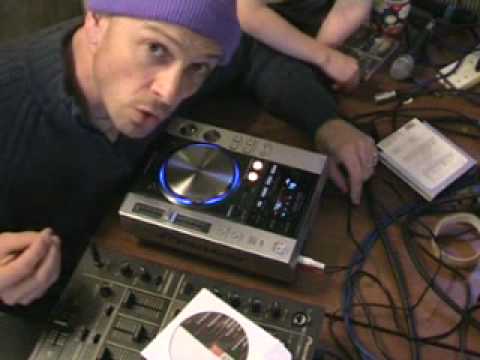
All right folks, Jonathan here. This is video number three in a selection I'm doing on this guy here, which is the CDJ-200. Right, Ella, give a wave. Got my help, got my helper. Right now then, in this video what we're going to be doing is looking at the three effects on this CD player, which is Jet, Zip and Wah. Okay, now to check out a little bit more in depth of my descriptions... Go and see video number one. Now then, the reason I'm doing this video is because I feel personally there are right times to use these three effects and also there are wrong times to use these particular effects. I'll give you good reason and explanation and we'll actually play some music and hopefully you'll understand why. So what I'll do now, I'll just wang the camera a little bit closer to those particular buttons there. Right, now then, let's kick off with a track.
By the way, this is Ski Low, I Wish. Right, now we're going to pause that. Now first of all, what I'm going to do, I'm going to press this button here which has got Jet on it. Now this gives a phasing effect. Now then, the phasing effect sounds very good with vocals and with beat, with melody and with bassline. So we'll give that a go. Here we go.
The reason I've done that is because I now want to show you when I press the zip, the sort of sound we get. Now then, I don't recommend you use the zip where at all, let's say for example if you've got vocals, melody or bassline. Now again I suppose you can use it with vocals, melody and bassline but you have to be slightly more careful because the zip What it will do, it will actually change the tone and the key of the actual song. And if you don't utilise this button correctly, it'll sound absolutely awful. But don't worry because the zip does sound really, really good with different actual sounds where the music is concerned. So we'll give it a go again. So press the zip now. Can you see what I mean?
2:48 This time we're going to press the wah button
Okay, now this time we're going to press the wah button. Now again, this one I think works really well where we're looking at all aspects of music and again we're going to listen to the same part of that particular track and we're going to mess around with the wah button. So off we go again. Okay right, we'll pause that and we'll eject that one and we'll get the camera out a little bit. Alright now then, the reason I said that is because with regards to the zip button there, what that does it will basically keep the same tempo of the CD that's playing okay? In other words you don't have to move the pitch, the pitch stays exactly where it is. What will happen though is the tone, the actual key of the track that you're playing will go up and down and all over the place. So you've got to be very careful because when you're talking about vocals, the last thing you want is for the woman or the man who's singing to sound as though they're pissed. It's not very nice. Right, what we'll do now, we'll bung in this CD and this is where the actual zip can sound pretty neat. If we're just talking about beats. Right, check it out. So we'll start this one off. Now first of all...
5:41 We'll go the other direction
Well, let's go to something perhaps a little bit more interesting. Here we go. Alright, now let's check out the jet first. Now again, the jet is phasing. So you've got to keep your finger moving on the jog wheel. As soon as you take your finger off, the effect will go back to the beginning and there you go, it's gone. The effect starts again. Okay, now we're going to zip. Now check this out, this is a lot better. With regards to the zip, you've got to be a lot more careful. The DJ Tutor offers a wide range of features and features that you can use to get the most out of your music. Get rid of mid and top, and you can get rid of bass, and you can go through the actual spectrum through all the different sounds where the EQ is concerned. And you can almost remix your own beginning of every individual track. So what we'll do, we'll start that one off again and we'll give it a go. And this time we'll use the wah. Okay now we'll go the other direction. Okay basically when I did that, I was listening to the timing, you know, one, two, three.
I was counting up to 16. What I was doing, I was sort of going down the spectrum almost to the base and I was counting those beats up to say 16 or say 2 lots of 8 or 4 lots of 4. And then as soon as I got to that point or perhaps just prior to that point then I started bringing that jog wheel the opposite direction so that I went up towards the scale of the high frequencies Not only was I just messing around getting a different effect, I was doing that effect in time with the music. And of course that's very important to get a good effect in time, in keeping. There's no... alright, yes, there is point in just messing around. That sounds good. But if you can mess around in time, you can actually make the track you're sort of putting the effects on sound even better, right?
This is video number three, and in this one we were looking at the Jet, Zip and the Wah, which is on the CDJ-200. Ella, say goodbye. Bye, lovely video. Practice and enjoy. Practice and enjoy!
This transcript was produced automatically from the audio of the video and may contain mistakes.





