 10:46
Video 3, The in loop samlper on the DJM-400 mixer.
Contents of the video
0:00 Do some wacky things with
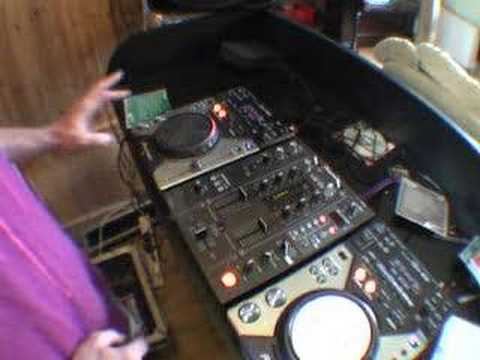
Right folks, video number three in a selection I'm doing, the last two I did quite a while ago on this guy here. It's from Pioneer, it's known as the DJM400 mixer. In this video we're going to be using the in-loop sampler but I'm going to show you how to do some wacky things with it. Now again, I am no expert at doing this but what I will do is show you how you can do this so hopefully you'll be a lot better than me. I've got the fish eye on there so you can actually see what I'm going to be doing with this turntable as well for the time being. Then I'll take the fish eye off the lens and we'll have a closer look at this area. Down here, we've got basically the start-stop. That will start the effect and stop the effect. Level depth, that will actually bring the effect in or take the effect out. Channel select, basically will select the channels. And here we're in the in-loop sampler mode. We've got one, two, three, four, five banks. In other words, we can have five samples in here.
Now I'm going to show you how you can actually, near enough, remix a song with just using one CDJ and a mixer. But don't forget you don't have to have a CDJ. You can use a vinyl turntable as well, any music source because at the end of the day all you're doing is you're taking in a music source and then you're messing about with it. So right, what I'll do is just to let you know I've got the level depth set at the 12 o'clock position just for now. I've got channel select on number one, because that's the actual music source we're using. In-loop sampler set to in-loop sampler here, or should I say the effect. Delay echo, filter flanger, phaser robot roll, in-loop sampler and there's no chocolate down there, never mind. Right, first of all, by the way, the actual track we're going to be using is the Mac Project featuring There Is.
It's a track entitled Another Love. It's a club mix and it's on Headcandy and it's released May 2008. Let's have a listen. Alright, that's it playing but if you think about it, so who's to say we can't sample that? So what I need to do is as soon as I hit that for the first time, I'm going to hit one of these sample banks. So I'm going to start off with number one. So have a listen. So right, I have sampled da-da. Now, let's just have a listen to that particular sample. If I press this button here, there we go. That is the sample. That's just the first sample. Let's turn that sample off. Now, I'm going to show you a trick here. Alright, let's just take the actual fisheye off the camera. Right, now at the moment, that sample is on channel 1. But we need to move that sample so we can have the original song here. So, by just moving channel selector number 2,
3:29 What I'm going to do, I'm going to sample certain segments of this tra
The DJ Tutor is in channel number two, so check this out. So we can stop that, press play on the music source and it's done. Now you may see where this particular video is going now. Okay, we'll stop the music again. Now we need to put the channel select back to channel one because that's what we need to sample. So what I'll do now, I'll put the fisheye back on the camera like so. Now what I'm going to do, I'm going to sample certain segments of this track. It could be anything, it doesn't really matter, but sample interesting parts. So what we'll do, I'm going to sample maybe the beginning of the beat. So let's play it. Now we've got something in bank one, so we're now going to sample a tiny amount of the song in bank two. There you go. So we've sampled that. Go to channel two and we can have a listen. So that's what we've sampled now, but we've put that back over to channel two. If I was to go back to one...
If I press pause here, so the music isn't playing, we're actually listening just to the sample. Take that off, no music, no music. Put it across, turn this to channel 2, and now what I can do, also what we can do, if I switch this over to master, now have a listen, all of a sudden it's taken away the music source and we've only got the sample. So it's exactly the same as if I was to use the crossfade. Do you see what I mean? So basically what I'm doing there, I switched the channel select to master and then what was happening, only had the sample and it took away the sound from the actual music source, wherever the actual crossfade was. Play the music source, channel select is over at sample, we're on the bank number two which is the second sample we made, we hit here and now we've just got the sample. Okay.
Back to channel number two. So now the sample is now on this channel. Have a listen. And the sample now, because it's on channel two and we've got this music playing, we can play the sample over the original music. You can hear that phasing. Also, we can bring this sample in on the half beat. In other words, not on the bass but on the treble. Have a listen. Now normally I'd bum. I'll do that again. Normally I'd do...
6:23 We've got two samples
And again, here we go. Okay, so now we've got two samples. Put the channel select back to channel one because now what we're going to do, we're going to do a third, fourth and fifth. So this is where we can start to experiment and have some damn good fun. Here we go. Let's move this on a little bit. Okay. So don't try it, we'll do that bit. Okay. Stop that. Over to channel two.
7:59 You get the general idea
Master. Let's pause that. You get the general idea. It's sort of quite intricate, but it's good fun. What I'm going to do now is take the actual fisheye off and I'll give you step-by-step ideas without all the frilly bits. So I'll pause the camera and we'll have a look at this area here. Okay, here we go. Quick run through. First of all, we've got those banks full of samples. By pressing the erase button now, we can just... Get rid of all those samples, keep your finger on the erase button and then all of those samples will disappear. Right, crossfade over to the left hand side, that's where we've got the music channel, select to channel one. So, play the music. Okay, we'll sample this first beat. One, two, three, four. Right, we've got that sampled. One, two, three, four. We've got that sampled. Let's move the music on a little bit. Sample a bit more. And...
Okay, pause that now. Bring the crossfade over if we want to go to channel 2. Press this and then what we'll hear is the last sample because the last one's flashing. And then at any time we can press any of these buttons to get the other samples.
Bearing in mind, remember, switch to channel 2 so now the samples are on this channel. Alright, a little bit of an insight, I hope this has been any help, any help? I hope it has been help and any questions just stick them underneath. If I can't answer them, I'm sure other people can. Practice and enjoy.
This transcript was produced automatically from the audio of the video and may contain mistakes.





