 1:36
Adj Mega Go PAR64. Tutorial 1, Sound to Light Set Up
Contents of the video
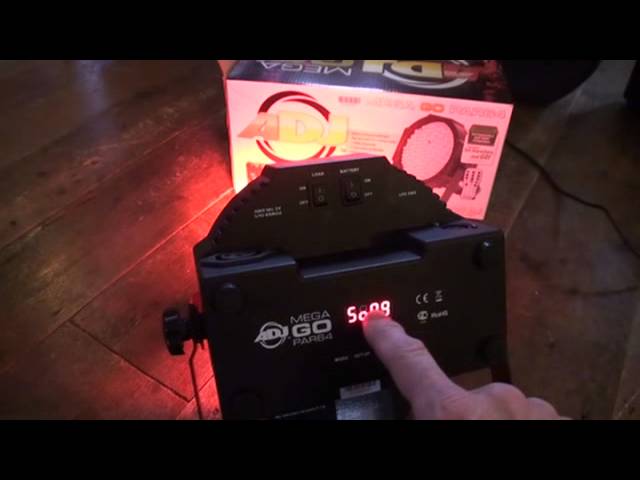
Alright guys, tutorial number one on the ADJ Mega Gopar 64. In tutorial number one I'm going to show you how to set up the sound active mode. First of all you need to turn the unit on. At the moment it's not plugged in at the main so you can turn the unit on by pressing the two buttons to the on position with load and battery. Okay, on the back of the unit we have four buttons and I'm looking at the unit the right way up with the wording the right way up from right to left. On the far right hand side we have down, then up, then set up, then mode. What we need to do is we need to press the mode button until you can see the wording from left to right, S and O. This is short for sound. Now we have SO and then we have a 0 and a 9. What we can do now, we can press these buttons from right to left, down and then up.
And we can go through from 0 up to 15. The moment I'm pressing down, so we're counting down. If I press the next one up, we're counting up. Once I get to the desired setting, I can leave it like that and now the unit is sound to light. If I tap on the floor, we can see the unit will change colour. I'm just sort of simulating the beat of the music. There you go, a short video on showing you how to do sound active mode. On the MegaGo Pass 64 from ADJ. Practice and enjoy. Thank you.
This transcript was produced automatically from the audio of the video and may contain mistakes.