 4:12
DDJ-200 Slip Mode Demonstration Using Wedj App
Contents of the video
0:00 In front of you, you've got the DDJ-200 from Pioneer
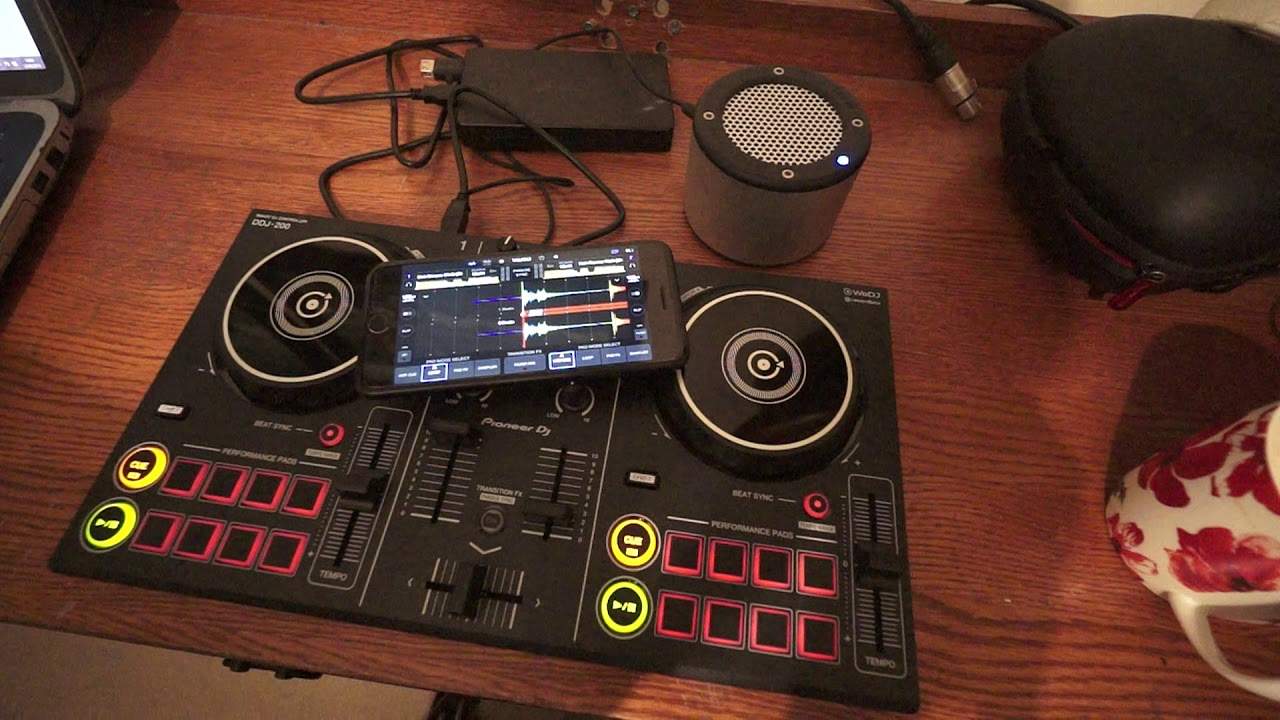
Right, in front of you, you've got the DDJ-200 from Pioneer. At the moment it's their entry level controller. It does not have an internal sound card. You will need to have some form of external device with a sound card. For this demonstration I'm using my iPhone. I'm also using WeDJ. I have that connected via Bluetooth to the DDJ-200. I'm using a battery pack to power the DDJ-200. I've also got a mini rig. That's plugged into the battery at the moment, just charging it, but that does have an internal battery as well. So theoretically all of this kit in front of you, without any form of external connection, can be taken anywhere on the road, literally in your backpack. Not so much in your back pocket, but definitely in your backpack. And you could stand on the middle of the highest hill and play some tunes with ease.
1:30 Let's imagine I form a loop, for example
So, further ado, without further ado, in this video I'm going to look at Slipknot. Slip mode. Now very quickly, what is slip mode? Well, slip mode can be found on a lot of the high-end bits of kit from Pioneer. Now I will explain exactly what slip mode does and then give you a demonstration. Let's imagine the left hand side of the DDJ-200 is the beginning of the track and the right hand side is the end of the track. Let's press play. Right, now at the moment now the track is playing and we're moving from right to left. So let's imagine I form a loop, for example. So what will happen is, let's say I form a two bar loop. What will happen is the loop will start, go back to the beginning after two bars and carry on looping here at this position all the time until I come out of that loop and then what happens is the track will carry on playing from this position and then it will finish.
I'm going to need two fingers for this. Okay, so what happens is the track is playing. All of a sudden at this position I start to form my two bar loop and the two bar loop is playing but the underlying track is still playing in the background even though you can't hear it. As soon as I come out of the loop we jump to the position where the track would be if you would have heard that track playing. So let me explain or let me demonstrate first. So let's press play. The track I'm using by the way is from Karmic Power Records. There will be a link in the description. So at the moment now, slip mode is not engaged. Let's do a quick loop. Engage that loop there we can hear it disengage and the loop is finished and the track is playing from the position where the loop finished.
3:03 I'm going to press the one bar loop and have a listen
Now that's highlighted in a very kind of low color purpley blue, more like a blue really. Now I'm going to press the one bar loop and have a listen. Come out of it. What's happened is it's jumped to the position where the track would have been playing. Now also on the app itself we can see a white line moving away from that loop and that is actually the track playing. In its proper time, but we can't hear it of course. I can demonstrate that. I'll put my finger above that white line. There it is moving away and there you go. So to start the loop press one of the pads, stop it, press that pad and there you go. To come out of slip mode just press the icon again and that's it. Simple as that. Hope that's been a help. Thank you very much for watching. Practice and enjoy.
This transcript was produced automatically from the audio of the video and may contain mistakes.










