 4:14
DJ LESSON 3/4 DELAY OVER A LOOP ......It's fun! by Ellaskins The Dj tutor
Contents of the video
0:00 Beats, quarter
Alright guys, another short demo stroke tutorial for you and I'm using a new camera so let me know what the quality is like. In this video we're using Michael Jackson's Billie Jean, we're also using the DJM900, we're going to use the delay effect and we're going to use 3 quarter time which is slightly better than 1 over 1 or half or quarter because you're adding beats inside of the beats especially when you're using just a very basic 4-4 time. So probably this 3 quarter beat is probably not much good over the likes of drum and bass or dubstep because there's a lot going on in between but when you're just using 4 to the floor it's a lot better because you're actually adding beats inside of the beats.
1:34 We've got an arrow beat
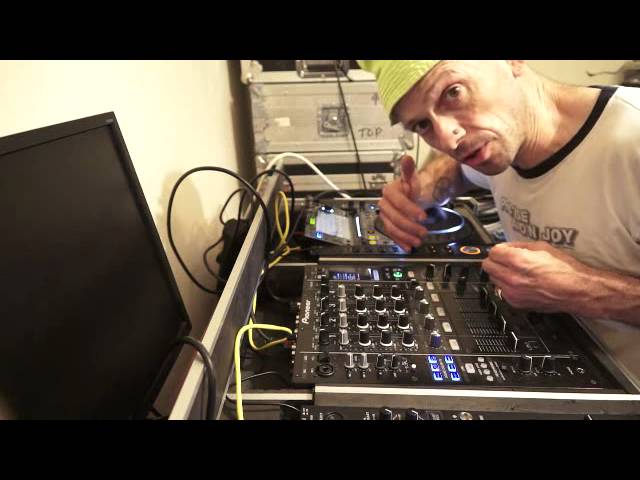
So first of all I'll give you a demonstration, hello, and then I'll explain exactly what went on. So here we go, turn it up, oh sorry that was it, crossfade, beg your pardon, spin back didn't work there. Alright so what was going on? First of all I formed a loop and then what I did I set this dial here to delay, channel 3 because we're on channel 3, level depth 2, 12 o'clock and also prior to doing all of this because I'm not quantising anything I'm just doing this sort of manually because I like to use my fingers not machines, I tapped to the beat of Billie Jean then hit the arrow facing to the left not to the right. We've got an arrow beat. And then another arrow so it was the arrow next to the B not to the T for the people who are less dick slick like me and then we ended up getting to 3 over 4 which is 3 quarters and what that does it chops the beat up so we get 3 quarters of a beat.
2:41 Engage disengage, disengage engage, hitting
So instead of it being bam, bam, bam, it's like ba-ba, ba-ba, ba-ba, do-do, do-do, do-do, it adds another level, it adds another element to a 4, 4, 2, 1. 2, a 4, 4 time which is great. This is what you want to do alright bit of a tip bit of a trick there for you and I'll do it again so. Also what I was doing is using the cue button not the play pause but by using the cue and keeping your finger on the cue it means when you set your finger off the cue and put your finger back on the cue it goes back to the beginning or to the cue point that you set the cue at at the beginning of when you started saying cue point. said. Anyway, so and also what I was doing is on the odd occasion in time this is where
You know sort of I don't know it's that sort of structure of music comes into your brain you don't think about it but you do sort of happens somewhere in the cogs God knows where and so what I was doing hitting that like that and then of course stopping but in time I was hitting it again but as soon as I did hit that I was hitting this button here which is the on off which will engage the delay but at the same time when I hit it again it will disengage it so engaged and disengaged. Engage, disengage, engage, disengage, engage, disengage, disengage, oh you silly bugger! So I was just dissing it. That's been a help. Practice and enjoy thank you. Thank you.
This transcript was produced automatically from the audio of the video and may contain mistakes.










