 6:52
DJ Lesson Adding a Loop in a Short Tune to Help Mix in the Next Cut
Contents of the video
0:01 I do but also I add certain twists, extra dimensions to those tutorial
All right guys this video is all about forming a loop in the mix to enable you to mix another track in. There's many ways of doing this and you know I've done thousands of videos and to be quite honest I've only scratched the surface on the amount of demos and tutorials, not even demos, tutorials you could do. I had one comment a while ago saying you seem to be going over old tutorials. Well I do but also I add certain twists, extra dimensions to those tutorials. In fact this is one tutorial on adding a loop in the mix. Well if I had the time I could probably do a million videos just on adding a loop in the mix because there are so many different ways of doing this. This is one out of millions. So what's
The deal here? Right let's imagine you've got a seven inch single and you're mixing another seven inch single. If you're anything like me, if you are a mobile DJ and you do weddings and that kind of thing, you will more often than not play the 7-inch version of a track. It's not like a club DJ where you continually play long extended mixes and you've got time to just sit there and wave your hands in the air, go to the toilet and drink beer. I'm not saying that club DJs do that because I've been in that situation. Actually we do. Generally it's a good idea to have a little bit of practice before you start mixing. You know if you're a wedding DJ, if you're a mobile DJ, you'll play the seven inch single and the next one of 7-inch, 7-inch. And also if you can, if you're
Professional, you'll chop them up so you won't just play the entire track and then let it fade away and bring the next one in, fade away, next one in. You'll try and keep the continuity of the flow, the vibe of the tracks, make them work together. Now let's say for example you need to mix in another track but you haven't got enough time to mix in it. No start again. You need to mix another track but there isn't a good point where you can bring the next track in or there isn't a good enough point that will last long enough for you to bring the next track in. That's what I need. So using this technique not only will you extend a good point where to bring the next track in, you can have a bit of a mess around with the cue etc. Now let's, what I'm about to do is one
2:25 My goodness, there's a bucket full of lots
Example like I said out of lots, lots and big bucketfuls of lots. There they are. Look. My goodness, there's a bucket full of lots. Fair enough. Let's imagine though we take this example and we take it to another dimension. Let's say you're playing, scratch nose, you've got a track that's 120 bpm and this one over here is 130 bpm, 140 bpm and again they're still 7 inch singles and you need to somehow mix from 120 to 140. How on God's planet do you do it? Using this technique. So I'm going to show you how to do that. Using this technique, all you've got to do is form a loop. Make sure your pitch is set to say plus or minus 16 because you need to increase it quite a bit and while the loops playing you can slowly increase the speed of the loop, bring in the other
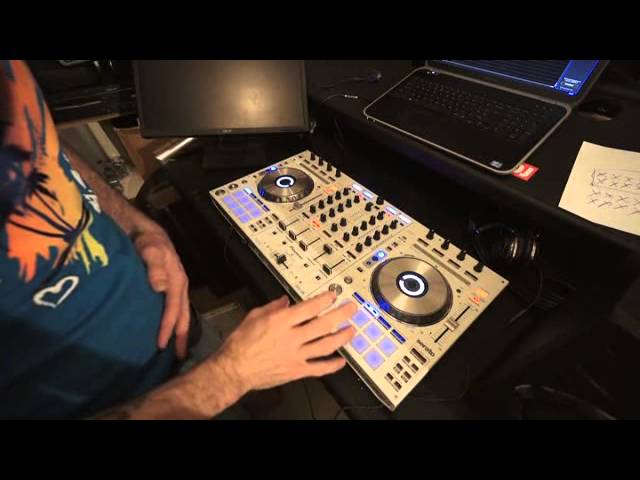
Track and away you go. Now the two tracks I'm using both by reel-to-reel. This one here and this one here. Jazz it up. One's in, I think the jazz it up is in a major key but I like to move it to a minor key. So what I'm going to do, I've got Serato DJ and I'm going to go to this point here just before the break and I'm going to form a loop after the break so I'll play the track first, I'll show you the point where I'm going to bring the break in and then I will then again I'll rewind it before the break and then just at the end of the break I'll form the loop and then I will bring in the other track and because I've got a loop I can have a mess around, I can sort of mess around with the cue and you know sort of something like this. And so on. Again you can form loops with the touch
Pads here or sorry rolls, I beg your pardon, rolls or loops yeah but a roll of course is rolling over the track. The loop is a continual loop of the track which is what we want. The roll is slightly different, the roll will just roll a certain part of the track depending on which pad you press but as soon as you take your finger off the roll will stop. The loop is completely different because the loop will carry on playing so and also we need to press down here which is the auto-loop and we need to make sure that the loop is of a certain amount enabling us to mix in the other track. We don't really want it one beat or half a beat or two beats, we want it either one bar or two bars. We want it a good amount, we want it a decent amount
4:58 First of all where I'm going
Of time. So I'll play. Here we are, we're just before the break which is just about the right amount of time and here we go. So I'll show you first of all where I'm going to bring the loop in. Again timing four, two, three, four, one, two, three, four, one, two, three and now there. So that's going to pretty much be my loop and then I'm going to be bringing in I like to move it, I like to move it, I like to move it so we'll just go back again a little bit to there and we'll give it a try. Also I can filter the loop out, three, four, one, two, three, four, one, two, three, four, two always count as well it's very good to count, not even allowed you could just count in your mind too. It just gives you more time to play with, hope that's been a help, practice and enjoy,
I love this tune thank you very much.
This transcript was produced automatically from the audio of the video and may contain mistakes.










