 7:46
DJ LESSON ADDING EFFECTS TO A TUNE IN THE MIX by ellaskins the DJ Tutor
Contents of the video
0:00 Using two effects while a track
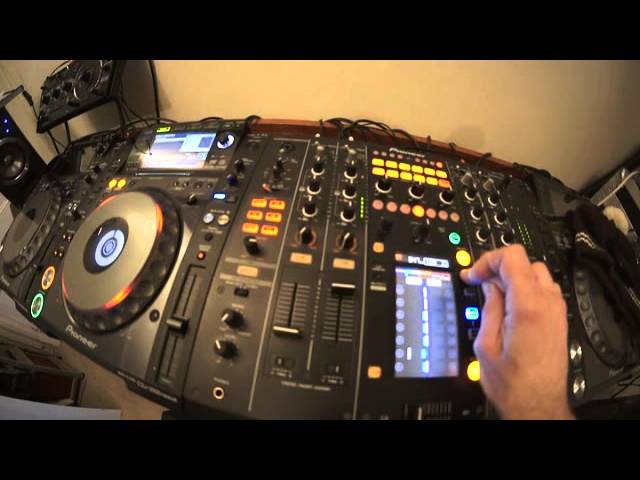
All right guys, got a tune here by Remco entitled Unleash the Beast. If you want any info on this track, check out the link in the description. In this video what we're going to do, we're going to look at using two effects while a track is playing. We're going to use them very subtly. We're not going to overpower the track, but at the same time we want to change it to give it a new level. So first of all what I'll do, I'll play you parts of the track and I'll show you whereabouts I'm going to be adding the effects. Two effects I'm going to be using is the delay and also the filter. On any modern day good quality mixer you should have these effects. And most controllers now and PC programs, you should have these two effects with your programs.
So let's have a listen to the track. First, Unleash the Beast. Volume up. I can imagine this on a really loud sound system. In your face. Let's move it on a little bit.
A nice underground sort of bass line coming in there.
Now have a break. What I'm going to be doing as well, I'm going to be using the delay at the beginning of the track. I'm going to be using the filter during the breaks.
1:38 Doesn't need anything else really
Now again, if we have a listen to the breaks, what I want to try and do is bring out more body. Inside the break. Lift it a little bit more. Give it an effect.
End of the track.
Now to me, the end of the track has got it all. Doesn't need anything else really. Right, so first of all what I'm going to do, I'm going to add some delay at the beginning of the track. So press delay. What I'm going to do as well now, if you imagine we had a track playing and we're going to be listening to this on our headphones. So whatever I'm doing now, imagine this is on the headphones.
Now if I have just one effect. One over one. All that will happen, all you'll hear is almost like a double kick over the track that's playing. Have a listen.
That's not really an effect. What I want is I want more beats. I want to have some more drums inside that effect. So I'm going to do three quarters. Three over four sorry. Now have a listen.
That's what I want. Right, let's imagine now we're going to do this and the crowd's going to listen to it. So we play the track. One, two, three, four. One, one, two, three. No. Because we're adding two effects, I wouldn't have given myself enough time to then get to the filter. So what I could have done, what I should have done sorry, is given myself at least sort of two bars so I'm ready to go to the filter. So let's have a listen to the filter effect now over the breaks. Now with the filter, what happens is dependent on how big the filter is, whether it's an eighth quarter half of one beat, three quarters of one beat or one beat, which is one over one. Two over one is two beats, we're going to have the filter as in four over one.
5:17 I might have actually missed the timing there
What you'll be able to hear and I'll count while I'm counting, you'll be able to hear exactly what's going on. The filter effect will seem to dip over the first two beats and rise over the second two beats. So it's almost like one, two down, three, four up. Now adding the filter over a break like this lifts it, it enhances it so much. So let's play that again. Now exactly the same. I'm going to tap. In time. In time with the beat. If it does go back to one over one, what you got to do is press four over one. Let's move the jog wheel forward. I might have actually missed the timing there. I needed to get on the count of one at the beginning of the break. If I don't do that, then it's going to be out of time.
Let's have a listen. Right. Probably did get it right actually. Two, three, four, one, two, three, four and down and up, one, two, three, four. Now if I want to start to decrease that, just turn the level of depth to minimum and we've got rid of the effect. Now let's imagine now which we are. I'll tell you what we do now. We'll go now to the beginning of the next break, and I'm not going to use the effect at all, but what I'm going to do then is add the filter effect halfway through the next break. Let's have a listen.
Any time I can move the level of depth to increase or decrease the effect itself. Off. Bang! There you go. Now what this track is telling me, the latter part of it which is slamming, is it doesn't need anything. It's got everything it needs. So now we can now choose other tunes. We can go through our files, find something that works with this one. We've got a lot of time. We've got one and a half minutes when we've got our next track. We've then got at least one minute to go through that next track and try work out good parts, good places to bring effects into the next track. I hope that's been a help. Well, I hope it has. Once again, Unleash the Beast. Rather a nice tune to practice and enjoy. Thank you very much.
This transcript was produced automatically from the audio of the video and may contain mistakes.










