 6:02
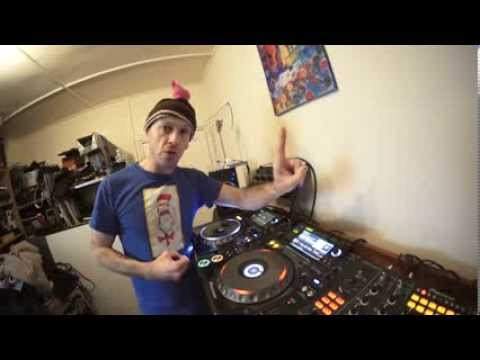
DJ Lesson on Adding Effects( Slip Roll) in to Your Set Tune BY DJ Veaux
Contents of the video
0:00 Another demonstration stroke tutorial on adding effects to the mix
Alright guys, another demonstration stroke tutorial on adding effects to the mix. First of all, if you're not confident about adding effects to the mix, then go back, go home in your bedroom, close all the doors, turn the lights off, be a hermit and practice by yourself until your confidence starts to grow. Very simple. Imagine a really tall building and you're the top, you're the world's class DJ, but you're not confident about adding effects to the mix. If you're up here and you add effects and it doesn't work, you've got a long way to fall down to the bottom because you'll probably look stupid.
So treat your journey on adding effects like steps. Step one, add a couple of tiny little effects. If you do fall, you've only got a small little sort of step to fall off. As you get confident on step one, go back and practice by yourself until your confidence starts to grow. Step two and so on and so on. The next one is try not to overpower the effects. Some effects are great if used right place, right time. Those same effects could sound terrible if they're used at the wrong place, the wrong time. Now in this video we're going to be using what's known as the slip roll. I need to explain first of all how the workings of the slip roll works. Let's imagine we have 1, 2, 3, 4. 1, 2, 3, 4. Let's imagine we engage our slip roll on the count of one and we have set the slip roll to half a beat. So what will happen as it's engaged on number 1, the slip roll will roll the half a beat.
1:34 Track, first beat, music
But what's happening is the underlying track is still playing so the track is still going on. So what's happening is you are hearing half, or no let's say for example, To make it easier, The slip roll is saying, it's rolling on one beat so it's rolling 1 over 1 just make it easier so let's imagine the first beat is someone counting 1 so we have 1 1 1 1 so again you need to understand this so we engage our slip roll at the count of 1 but we disengage it let's say at the count of 3 so you have 1 1 1 4 so what happens is the music will come back in at 4 what you're listening to is the first beat 1 1 1 3 times because you've started it at the count of one and you disengaged it at the count of three so at the point where you disengage it you've stopped the roll but you'll
Back into the original music at the time where the music is playing or was playing underneath the slip roll I hope you follow that I'll give you a demonstration now the track I'm using by the way is by DJ Vux also known as Colin Warne and the track is Cowboy Space Tunnel so let's have a listen to the track I've got kids one one child who's fully at home and plays so hopefully I won't have to rush out right here's the break I'm just gonna tap in time
We're on slip roll half a beat have a listen so you get an idea of the track if you want any more information on this track by the way check out the link in the description and you will be able to hear it in its entirety along with I believe the other tracks from DJ Vux I think that's how you pronounce it I beg your pardon full-on sort of bumping track this I can imagine this track being the anthem at the end of the set nice nice call here very very good indeed very good
Right the other thing about slip roll that is very important if you're not brilliant on timing pressing the button it doesn't matter that much because the track is still playing underneath the effect so if you imagine if you're slightly off of the pressing the button to begin the slip roll and you're slightly off pressing the button to end the slip roll it doesn't matter because you have got that track playing so you could maybe start the slip roll just after the count of one in other words in the middle of count of one encounter two and you could maybe oh damn it where do I press it press it again it doesn't matter so much because the track is still going on underneath the effect I hope that's been a help thank you very much for letting me use your tune and practice and enjoy take
This transcript was produced automatically from the audio of the video and may contain mistakes.










