 1:39
DJ Tutorial Cross Fader Assign What's It For?
Contents of the video
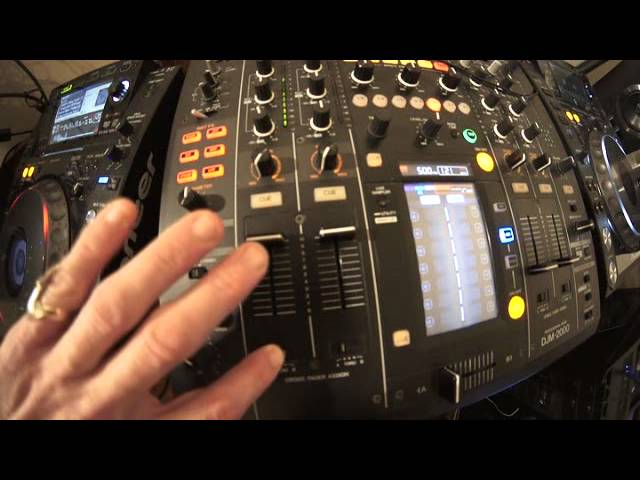
Alright guys, the track I'm using is by Lenny Fontana, a track entitled Everybody Put Your Hands Up. This video is using the DJM2000 and we're looking at crossfade assign underneath channel 1. Whatever I talk about with channel 1 will be exactly the same with channel 2, 3 and 4. With the crossfader assigned set to A, the crossfader over on the A side, it means that you'll be able to hear whatever channel is set to A. If, on the other hand, you start to move the crossfade over to B, you won't be able to hear that channel. With the crossfader assigned under any channel set to the through position, it means the crossfade itself now is completely disengaged and now you're in control of the volume by using the up-faders.
With the crossfader assigned set to B now on any of the channels, it now means that the crossfade of that particular channel will be assigned to B on the crossfade. So you can, if you want to, you can have all the channels to B, all channels to A, only one to A, one to B or all of them to through. It's entirely up to you. So once again set to through, we can use the up-faders, crossfader is disengaged. A, we're now on A, move the crossfade over to B, we won't hear that channel. And now B, we will hear that channel on B, move it to A and you won't hear it on A. Alright? Once again, everybody put your hands up, this is Lenny Fontana. Thank you very much. Practice and enjoy. Bit of a tune this.
Practice and enjoy, nice one folks.
This transcript was produced automatically from the audio of the video and may contain mistakes.
Related videos
-
Complete Beginner DJ Lessons Tags Key BPM Etc
A more advanced lesson folded in early, and worth doing once rather than putting off, because everything it sets up gets used for years…
-
Complete Beginner DJ Mixing Lessons Video 19 Getting Your Kit Ready for an Easy Mix
A whole lesson on getting ready, which is the right call - the exercise in the next video only teaches anything if the two decks are…