 4:47
DJ Tutorial. Scratch, turntabalist? Use some FX Video 1
Contents of the video
0:00 Scratching and using effects in scratching
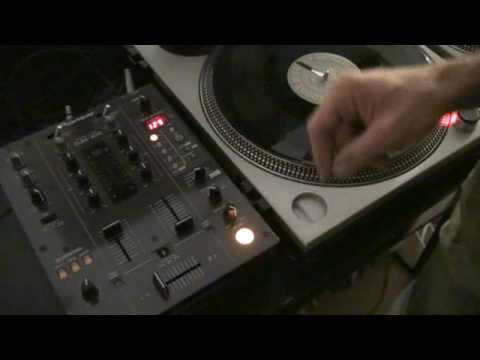
Right folks, a bit of a demo and also a tutorial. What we're doing is we're going to look at scratching and using effects in scratching. Now at the moment I've got a vinyl turntable. This guy here is a Pioneer DJM400 mixer with effects. What I'm going to do, I've got a basic sort of scratch sound that loads of DJs use. Here we go. It's known as the sound. Now if I just bring it back. Now there are certain sounds behind that as well, but they were incorporated in this particular track itself. Now what we've got on here, we've got delay, echo, filter, flanger, phaser, robot roll and in-loop sampler. And I'm afraid it won't make you a cup of tea, but it's rather good. So let's have a listen first of all to this sound without any effects whatsoever. Now bearing in mind I am not a turntablist, I'm just giving you a basic idea. Here we go. Right, jumps. Right, what I'm going to do...
1:44 1 over 1, 3 quarters and a half
On this guy here, I'm going to set channel select to number 1. I'm going to set this guy here to echo, level depth to maximum. Now if you can see here we've got two buttons, one with a minus, one with a plus. If I press the plus button, we come through here to 16, 8, 4, 2, 1. But then also we can go down even after 1. We can almost go to perhaps 0.5, whatever. Over here we have 4 over 1, we have 2 over 1. 1 over 1, 3 quarters and a half. They're actual beats. 4 over 1 is a bar, 2 over 1, half a bar, 1 over 1 is one beat, 3 quarters of a beat, half a beat and so on. So if I carry on pressing this minus, we're going almost that direction. We're getting to smaller amounts of music that we can sample or in this case have an echo on. Now first of all I'm going to bring it all the way back up to here. So 4 over 1.
2:58 Three over four, which is of course three quarters
Right, just move it back and forward. Now again, that's an echo. So what's happening, you've got the sound and then it's slowly disappearing. If we go to 2 over 1, we do the same thing again. The actual echo is closer together. And again, 1 over 1. Now what's happening, we're getting how we want it. We're almost getting it to the stage whereby it's compressing itself. But if we travel further down the scale, do it again. Three over four, which is of course three quarters. And then half. Do you see what I mean? Right, this is where it gets slightly more interesting. I'm going to press this another twice. One, two. Here we go. Now we have control over that sound. So in other words, when I move it forward, backwards, we get a rather nice effect. And if I press the minus again...
And again. Excuse me. Right, I'm going to do near enough exactly the same sort of move as I did to begin with. Rather good, eh? Alright, so, again, we can use the up-fader or, again, you can do crabs, chirps, etc. with the crossfade. Here we go. Change it slightly. Bring it up one. Right, jump.
Alright, video number one on using effects when scratching. In this video we use the echo effect on the DJM400 mixer. Practice and enjoy.
This transcript was produced automatically from the audio of the video and may contain mistakes.










