 7:25
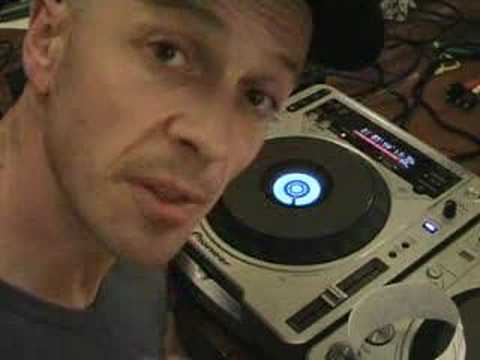
Dj Tutorial, Video 2, The loop function of a Pioneer CDJ-800 turntable
Contents of the video
0:00 It'll give you a general sort of idea
Alright folks, Jonathan here. This is video number two in a selection I'm doing on the loop function of a CDJ turntable. In this case we're looking at this guy here, which is the CDJ-800 Mark II. Now then, for the newbies out there, if you don't know what loop function is, or loop is for that matter, check out video one. It'll give you a general sort of idea. Now, in this video, we're actually going to be sampling a tiny bit of the music. Now, of course, to get a loop where... Here, the likes of these guys are concerned. You need to sample part of the music. Now in a sense if you think about it, the word sample basically means you're taking a tiny amount and you're testing it. Now in music, the terminology or the word sample means you're going to take a section of that music and you're almost going to have that, put it to one side and use that accordingly to how you want to use it. Now in this case with the loop function we're going to take that sample
And we're going to loop it. There are right ways and wrong ways of using a loop. There are right ways and wrong ways, in essence, of actually using a sample in a loop. Now then, I'll show you first of all the wrong way. But, actually before we do that, we need to count, alright? Very important. I'll show you what I mean. We'll play the music. So we'll count, say like one, two, three, four, one... Right, the reason I've done that is because what we need to actually do, we need to actually get a segment of that piece of music or any piece of music and it has to be in time, in beat, but it's got to be a nice, decent segment. It has to have a start and a finish that is relevant to the music we're sampling. Now, I'll give you a demonstration what I mean by that. I'm going to show you a correct sample.
2:25 Finished, start, finish, start, finish
An incorrect sample. I'll show you the incorrect or the wrong sample first. So we'll play the music again. Now I'm going to press one button that basically will start to record the sample and then I'll press another one that will finish the sample. OK, what I basically did, I just pressed that button anywhere in the music and I pressed it again anywhere in the music without listening to the beat, without listening to that time. So what actually happened? I did have a loop. I had a perfect loop, but it wasn't a perfect loop in beat, because again, what happened? When I pressed one button, it started to record that certain amount of music. And then when I pressed the next button, it stopped recording and then all it did, it started at the beginning of that particular sample and as soon as it finished, it started again. Finished, start, finish, start, finish. Now, the sound you heard was exactly the same sort of sound
That you would hear if you had let's say a scratch on a vinyl turntable and it's almost, it used to be called a jump where the needle is actually jumping. The needle is on a groove and it's moving smoothly in that groove. If there's a scratch or maybe there's something wrong, maybe there's a little bit of dirt in that groove, what happens is the actual styloid, the diamond hits that groove or let's say hits that tiny bit of dirt and jumps. And maybe it'll jump into the next groove or the one before. And again, bearing in mind, it's a continual groove anyway. So of course, when it jumps, you get this sort of weird sound as though, well, basically there's something wrong with the record, which there is because it's knackered. Exactly the same way this is concerned. What's happening is timing is totally and utterly out. And that is the main word there.
Timing. Now I'll show you again, but this time I'm going to count and I'm actually going to sample the music while I'm counting and I'm going to sample it in time with me counting. So here we go. Get rid of that one first though. Okay. Right. 1, 2, 3, 4. 1, 2, 3, 4. 1, 2, 3, 4. 1, 2, 3, 4.
4:17 We sampled, if I was
Okay, now then, there is a very, very big difference there. Simply, the first one we sampled, if I was then to utilise that sample, try to mix that into the music, I theoretically, well I wouldn't be able to because it's not in beat. Whereas this one here, I would be able to mix that into the music because it's in beat. Because I've made note of timing, I've been counting and I've started... My sample at a certain point in the music and I finished it in timing in a certain point of the music. I've counted. What I actually did, on this particular CDJ you have a button here and above that button you have real time cue in. Now on beat I pressed that and I was counting 1, 2, 3, 4. As soon as I came to the second one then I pressed out. Basically then I had a loop. So we'll play it.
As follows. Now on this particular CDJ, if you can just see here, we have four buttons. We have, on one of them we have eight, four, two, now at the moment in video two all I'll explain to you about those buttons is when you hit number eight you will get the sample that you sampled and you will hear that sample loop in its entirety. When, if we start this again, we press number 4, what happens is it will actually halve that sample and it will loop half the sample. Then when you press number 2, it will quarter the sample. And when you press number 1, it will turn it into an eighth, so you'll actually get an eighth of that sample. I mean, you can have a mess around here. Now, this is video number two. There is a lot more to this than meets the eye. Very quickly as well, I'm dyslexic, so I find it really, really difficult to read text. I am a hands-on person and I find that by messing around and spending a lot of time actually hands-on as opposed to reading text, I seem to learn a lot better. There's a lot more people out there like me, I'm sure there is. A lot of people have said my videos, I go on and on and on, but I like to try and explain things.
Thank you for watching and practicing. Enjoy. Cheers.
This transcript was produced automatically from the audio of the video and may contain mistakes.










