 5:56
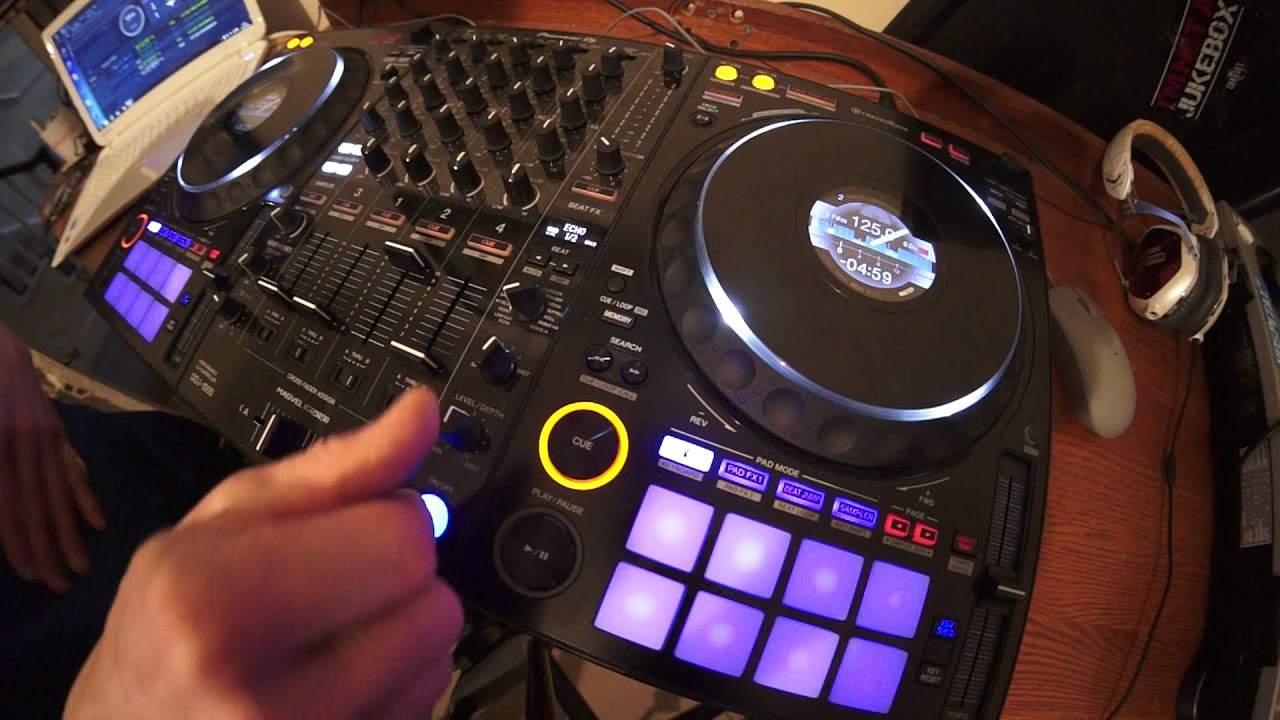
Echo Effect Demonstration on the Pioneer DDJ-1000
Contents of the video
0:00 The kit I've got in front of me is the DDJ-1000 from Pioneer
Right, there's no real correct way of using the release effects button, but there are better ways of using it, OK. The kit I've got in front of me is the DDJ-1000 from Pioneer. I'm also using rekordbox software. Track I'm using is from the Karmic Power Records stable Lenny Fontana Raise Your Hands, but it's the DJ PP Remix. So, I'll give you a few demonstrations first, then I'll explain what's going on. So let's play the tune, maybe go forward a bit.
OK, two examples, exactly the same move. Now I'm going to do a third and fourth slightly different. Do that again.
1:11 A very, very slight difference
OK, so what was the difference? A very, very slight difference. The first two, what I did is I engaged the echo, brought the volume down and then turned the level depth off before putting the volume back up. The second time what I did is, oh sorry, the third and fourth time, beg your pardon, is while the volume was up, I engaged the echo, brought the volume down and then put the volume back up and then turn the level depth off. So what was the difference? Well in the first two examples, what's happening is I am stopping the echo before bringing the track back in. The third and fourth time, I'm letting the echo overlap the rest of the track while it's playing before I turn it off. So in other words what we're doing is we are first and second example getting rid of the echo
Third and fourth is we're leaving that echo overlay the track when it comes back in. So why would you do something like that? Now let's say for example you only wanted the echo to play for a short amount of time. Then of course you do the first two. Third and fourth, if you're happy with the echo overlapping the track when you bring it back in by all means do it that way. So very, very subtle difference but let's do this again. Let's press play.
In fact we go there just at a hot cue. At the moment I've got the echo at half. So in other words, the echo will echo in time with the track but on the half beat. Let's do it on the quarter beat. You can hear there the echo is still playing over the track. Now that to me sounds a little bit overpowering. Let's do it again but this time I'm going to take the echo away before bringing the track back in. Excuse me. Off. Okay, again with the quarter echo it's a lot more abrupt. It's almost like very spiky so I'm going to stick to half.
4:03 You see the difference is very subtle and tiny difference
Now the move I'm doing when I bring the volume back up is at the same time when I bring the level depth down.
You see the difference is very subtle and tiny difference. If you disengage the effect you will still have remnants of that echo over the track. On the other hand if you just turn the level depth off then the effect is going to stop. It's going to turn off even if you have the on-off button, the release effects button engaged. So have a listen. Watch that is now it's ready to go but if we listen no effect. That's because level depth is off. Turn the level depth up. Now we have the effect. So at any time during that effect by turning the level depth to the 7 o'clock position which is of course the off position. You will remove that effect out of your mix. And as can be seen here even while the track's playing.
Three, three, four. Two, three, four. Alternatively press the on-off button again. And the echo will still be there a little bit and then of course stop.
Okay hope that's been help, practice and enjoy. Thank you very much.
This transcript was produced automatically from the audio of the video and may contain mistakes.










