 5:06
How to beat juggle with just one CDJ and a sampler
Contents of the video
0:00 How you can beat juggle
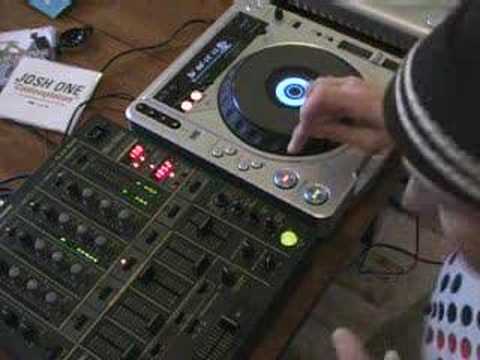
Alright folks, in this tutorial I'm going to show you how you can beat juggle with the use of a sampler and one CDJ. No need for two vinyl turntables. If you want to know how to beat juggle properly there are thousands of videos on YouTube showing you how to beat juggle using vinyl turntables. But in this tutorial I'll show you how to beat juggle with just like I said a sampler A CDJ and all you need is two fingers. You don't even have to use the crossfade. That's how simple it is. Okay, right, first of all I want to show you the actual track I'm using. It's Josh One track entitled Contemplation. The audio isn't brilliant because all you're listening to is me waffling through the little microphones or the other mics in the camera and the main PA. Now this is a track we're going to be listening to and sampling. Let's have a quick scan to this. Here we go.
1:25 What we're going to do is have it on what's known as single play
The mixer on to record, okay? And I'm going to record a tiny bit of the beginning of this particular cut. So we'll get it right back to the beginning again and we'll set that off and here we go. Okay, now we'll pause that and we'll put that on loop and we'll have a listen to the actual loop. In other words, we're going to listen to my sample but then it's going to loop it. So what I've recorded will start and stop. As soon as it stops, it'll actually start again and form a circle, which is known as a loop. So off we go. Now that's what I've actually sampled. So if we play the music from the CDJ and the loop together, this is what it sounds like. Right, now, what we're not going to do is we're not going to have this on loop. What we're going to do is have it on what's known as single play. In other words, now, if I put my finger on this, you will hear the sample, and once the sample has finished, the actual part I've recorded...
It'll just stop so we've got silence. There you go, that's it. Now then, if you can imagine, let's say for example, this track is playing. Now what happens with the CDJ is playing like so. As soon as you press the cue button, it will go exactly to the beginning of wherever you want it to go, where you set it to go. In this case, right at the start. And then as soon as you press play again, it'll start. Now just watch this for a second. If I press cue, cue like that, and I press play, Take my finger off play, it'll carry on going. But if I press cue and then press cue again but keep my finger on the cue button, it will carry on playing. As soon as I take my finger off the cue button, it will stop as follows. Now I hope maybe you're starting to get a general idea here of what's going on. Now then, bearing in mind now, the sample is here ready to play. This track let's say is playing so we'll start this off.
3:11 I'm going to press on this button in beat while the CDJ is playing
Now what I'm going to do is this. I'm going to press on this button in beat while the CDJ is playing. Before this sample finishes, which is on single play, I'm then going to press cue, which will bring this back to the beginning. As soon as I press cue once, I'm going to press it again to start this off. And then hopefully I'm going to do that before the sample finishes and then I can press the sample. And then cue, sample, cue and mess around and I'm actually beat juggling, hopefully in beat. Here we go. Practice, alright, you know, I've only just realised I can do this, I'm sure there's loads of people out there who said, I was doing that years ago but what the heck, you know, I'm having a bit of fun, I'm messing around, that's what it's all about. Try this if you've got a sampler and a CDJ and you're not...
Brilliant at turntablism, this is a good way where you can do it just with two fingers. Thanks for watching, practice and enjoy!
This transcript was produced automatically from the audio of the video and may contain mistakes.










