 7:04
Using cue and play to get the beats in time
On YouTube this video is called How to use Cue/play pause to get the beats in time.
What this lesson teaches
Less a beatmatching lesson than a demonstration of what the two transport buttons can do when you use them in time.
The behaviour
Cue held down: the track plays. Cue released: it stops instantly and jumps back to the cue point.
Play/pause: the track carries on from where cue left it, and keeps going when you take your finger away.
So cue is a momentary preview and play is a commitment, and the useful part is the word instantly - the return to the cue point is immediate, with no spin-up.
Using it in time
That instant return is what lets you chop.
If you press cue on the beat, hold it for exactly two beats and release on the beat, you have played two beats and gone back to the start - and the music never fell out of time, because every action happened on a beat.
Do that repeatedly and you are stuttering the opening of a track rhythmically. Do it once at the right moment and you have cut a phrase short deliberately rather than by accident.
Counting alongside
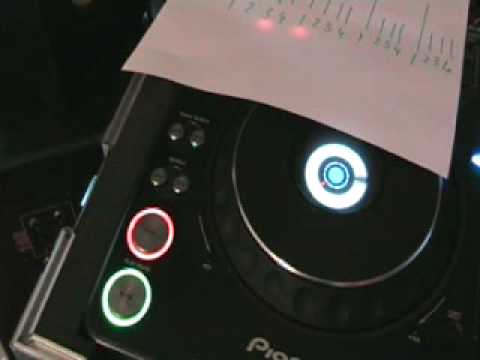
He has a sheet of paper marked out in fours, and counts the bars against it as the music runs - the same method as the structure lessons.
That pairing is the point of the lesson. The buttons give you the ability to act instantly; the counting tells you when. Neither is useful without the other.
Why this matters later
This is the mechanical foundation of everything in the performance stages - stutters, chops, re-drops, bringing a track in twice.
All of them are the same two buttons, pressed in time, by somebody who is counting. The techniques get names later and they do not get more complicated than this.
Contents of the video
0:00 This piece of paper
Alright folks, a bit of a demonstration stroke tutorial on using the cue button and the play pause on a CD player. Now by using this sort of technique it will enable you to have a bit of fun and to chop the music up. So what I'll do, I'll pause the camera and we'll have a closer look. Right, first of all let's have a look at this piece of paper. Well, what is it? It's a load of numbers going up to a maximum of four. But each one of those is a bar. 1, 2, 3, 4, 1, 2, 3, 4, 1, 2, 3, 4, 1, 2, 3, 4. Play the music and I'm going to start to count these bars while we're listening to the music. Also, if you want to know the names of the tracks, I'll put them in the description. Let's press play, here we go. As follows. 1, 2, 3, 4. 1, 2, 3, 4. 1, 2, 3, 4. 1, 2, 3, 4. So basically the count of 1, 2, 3, 4 is a bar. So where is this going? Right, what I've done as well, I've got two...
Different CD plays to have a mess around with. I've got the CDJ-1000 Mark III from Pioneer, then I've got the American Audio Radius 1000 over there. Now first of all, if we have a look at these two buttons here, we've got cue and we've got play pause. Now have a listen and watch what happens when I just press the cue and keep my finger on it. The music will play, but as soon as I take my finger off the cue, it stops and goes right back to the beginning. We can do this, as follows like that. But watch what happens when we press play pause. Say for example we're halfway through the track and we want to go right back to the beginning of the track. We can do it like this. We can press cue and then we can either press cue again but of course if we take our finger off the cue button the music stops. Alternatively what we can do is press play pause.
2:26 You're probably wondering where on earth is this particular tutorial g
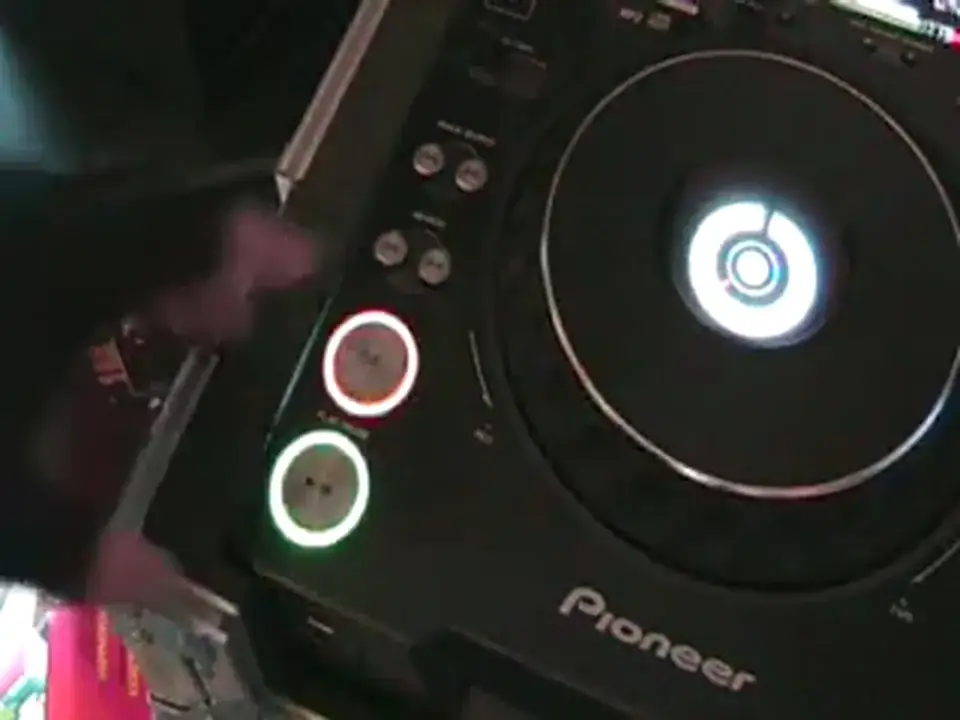
Now you're probably wondering where on earth is this particular tutorial going? Right, I'll show you. We'll press cue again. Now let's say for example we've pressed play, pause. Now I want to go back, let's say we're halfway through the track for example. Now let's say I wanted to go right back to the beginning of the track but I wanted to keep it in time, in bars, counting in time. Now if I just press Q once, the track would stop. And then press it again, it starts. So how can I press Q but keep it in time, in bars and keep the continuity of the music going? Well, I'll show you. Let's have a look at this. 1, 2, 3, 4, 1, 2, 3, 4. Now watch what I'm going to do now. Press play, 2, Now, as soon as I hit that at the count of one, the music stopped. And if I hit it again, it'll start. Alternatively... So in other words, how can we get the music to start in time, in bar without having
A big gap, let's say for example. What you need to do is you need to press either the cue or this guy here, play pause slightly before the first count of one or the count of one in a bar. Now I'll show you. Here we go. Let's press play. Okay, so how am I doing that? Where is that coming in relation to the count of a bar? If we have a listen. One, two, three, four. One, two, three, four. Alright, now let's put that into practice but more so not just in time there but we can chop it about the beats. If I bring the camera up a little bit, let's turn this up. You can go right to the beginning of the track again by hitting the cue slightly before the first beat on the count of one. What we'll do now is we'll go over here and we'll do exactly the same thing. Not that down. This may only help one or two people out there but if it does all the better. Practice and enjoy.
This transcript was produced automatically from the audio of the video and may contain mistakes.