 5:53
Intermediate DJ Lesson Adding a Loop to Bring the Next Track in Perfectly
Contents of the video
0:00 Track, first kick, time
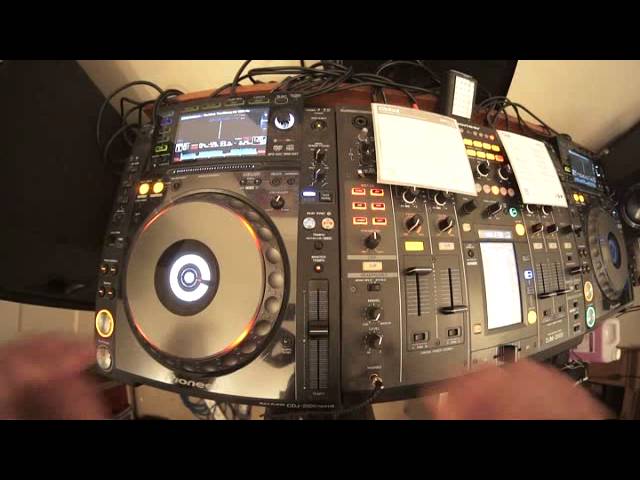
Alright guys, another intermediate DJ lesson for you and in this one we're using two tunes from City Pool. On the right hand side we have a bit of a monster track, it's track number 7 from disc number 2. If you're into your sort of deep underground vibey house cuts then that is the one. Alright, on this side here, on the left hand side we have track 1 from July 2014, same month, same year as the club. It's track 1 from disc 1, it's a new tune by Nile Rodgers, Do What You Want To Do, it's the Moon Boots remix. Okay, let's first of all have a listen to Nile Rodgers, everything will make sense as we go further on into the video. Listen, here we go. I'll just play you a little bit more of the track.
Alright now, I want you to... Pay more attention out to the beginning of the track and I want you to hear pretty much from the first kick or second kick, the melody starts to come in. Have a listen. Okay, so what we need to do, we need to be able to bring this track in in perfect time from the first kick at the right time in that track. So, what we don't want to have to do is have the right time on this track start... Start this one at the right time, but then spend as fast as we can be, 1, 2, 3 seconds trying to mix it in only to find that we've lost that nice mellow sort of intro. We want the track, this track, to start at exactly the first kick with the intro at the exact time that that track starts to have the outro and the outro on this is if I just go back again...
2:19 Beginning of the track, here we'll
There. So, we... And then I want the... On this one to come straight in. I don't want a gap, then this to come in. So have a listen. Set hot cue.
Okay so that's where I want it to come in. Okay so what do we do? How do we do it? You can do this with pretty much anything, you just get a loop going. Okay, so we're gonna go into loop mode. I'm gonna go to the beginning of the track, here we'll have a listen.
There. Go to loop mode and we just hit 1 bar. 4, 1, 2, 3, 4. Right this is the important bit as well. What you need to do is when you bring this one in you need to make sure that you come out of the loop half way inside of that four beat loop. So it will be in perfect time and it will match up phrase to phrase as well. And of course you need to make sure that your beat matching this loop perfectly. Prior to bringing it in to the next track. So I'll give you a demo first, here we go. So we'll go back a little bit. About there should do. Oh, a bit too far.
Okay so listen.
There's my loop. So.
3:53 Beginning of the track
So my loop is playing. See?
Again, so let's go back to the method prior to and again this can be done on the fly even while that tracks playing. All you've got to do is go to the beginning of the track. Get yourself. A one bar loop very simple and then that gives you the opportunity then to beat matching using it that one bar loop. Then when you're ready to bring the track in. You have the volume up. And then halfway through that one bar loop. You then come out of the loop press exit and then what will happen is the track will start from the beginning. Of the track. And it will flow normally as it would have done if you'd have started that track but then have to maybe spend one or two seconds beat matching it before bringing the up fader up.
I hope that's been a help don't forget any info on any of the CD pool releases in this video or any other check out the link in the description practice and enjoy. Thank you.
This transcript was produced automatically from the audio of the video and may contain mistakes.










