 11:55
J-Me Griffiths Demonstrates the Crab & Flare scratch part 2
Contents of the video
0:00 He's one of the tutors at the Ministry of Sound
Hi guys, we're here with Jamie. He's one of the tutors at the Ministry of Sound. And a bit of a mess around here, a bit of scratching, some of the crap, some of the flair. So we'll watch a demonstration first and then I'm going to ask questions and you know we'll just do sort of chucking ideas back and forth showing basically what he's done, explaining how to do certain moves etc.
1:34 DJ tutorial by Ellaskins, The DJ Tutor
DJ tutorial by Ellaskins, The DJ Tutor. Er, gang of scratch DJs many years ago and it was one of those scratches that if you are, you're used to traditional scratching like this sort of stuff. It kind of feels, if you've been doing that for a long time it feels quite weird to learn it first of all because it's almost like having to sort of train yourself to do a backward scratch. What it is, it's like when you would do a transform you could like maybe move the sound forwards and backwards. I keep like Chopping sounds in a bit like Eddie Honeywell style. Except with the flair, it's kind of almost like an illusion scratch because when you're moving forwards and backwards, you're opening and closing the fader twice. That's for two-click flair. Every forward and back stroke like this. I'll break it down really slow, okay? So if we move it forwards with the R sound, as I'm moving forward, just about before...
Turn it back. You're putting the clicks, the open and close movements on a fader, you're putting them on the turns of the scratch. Alright, so if I'm letting the sound play, and as soon as I'm about to bring it back, I click the fader twice, forwards and back. Yeah, you've got that... That trip feel behind it. It's almost like a good way to remember if you're forgetting the pattern. It's sort of keeping your mouth closed but always remember the Nelly the Elephant tune. So, it kind of helps, you know, if you... Hey, happy Sarah! Happy. One half of the DJ Academy. Two halves here, actually. He's got him in stereo, he's inside of him. Right, so, yeah, I mean, when I'm doing this, like, it is slightly harder with housey type music, but I wanted to...
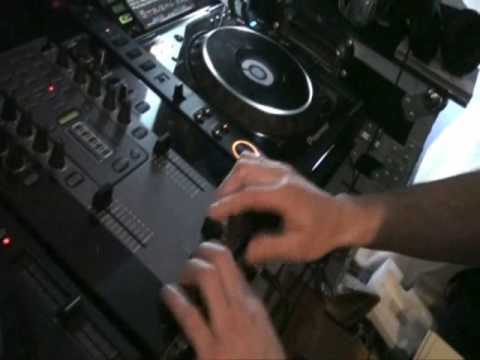
Demonstrate that today to prove to everyone that scratching is not just for hip-hop DJs, but for any type of DJ. Once you get into it, it's like a percussive instrument and you can almost treat it like a meditation and have hours and hours of fun with scratching. I don't know if there's something else you noticed here, but I wasn't just clicking like when I was doing the two-click flair, like that, but I was also doing something else with my fingers, which is called the crab.
4:35 All your fingers are hitting, aren't they?
All your fingers are hitting, aren't they? No, it does look like that. There's actually only three or sometimes four. Again, this is a process that takes a while to get used to how much pressure you need to apply to open and close the fader. It's a bit like a soft spring, so the amount of gentle action you push back, you're compensating with your fingers, with your thumb. Now, you're getting this kind of action first. So this is where the... Flare originally came, sorry, where the crab originally came from, which was called the twiddle, which almost looks like a running man, like this. Yeah? And that came for me, it was practice, almost like just practicing to do that with two fingers. Got you. And then just turning it sideways to use your thumb as a lever to push out, but just close with the same amount of pressure on either side. That's something I've always found difficult, is getting the right amount of pressure on your thumb to compensate for the pressure...
On your two fingers. Is that something that comes with time? I've actually got the crossfader in reverse mode. Okay. Generally, like, the crossfader would be... Let's just put it back to its normal mode. Crossfader. Yeah? So if we go into the right-hand side, it would generate sound from the left-hand side on deck A. Yeah, so you've got the music this side and you bring it over there, you've got the scratch. It's music, closed, open, closed. Got you. You can still do the... This type of scratch, whether it's a crab or flare, this side. But I find it can be a good idea sometimes to learn the other way around. And the reason being if you reverse the crossfader, which is called hamster mode, hamster style, if you reverse it, the reason being is because you're almost like feeling the amount of clicks that you do with the slot of the fader here. As opposed to halfway over where you're only pushing it halfway. If you're doing it normally on a mode which is...
6:59 Normal mode, scratches normal, opening fader
On normal mode, what you've got to do as a DJ is almost imagine there's an imaginary force field wall that doesn't allow you to go any further than this amount when you're... Because the secret to this type of scratch is how much you're opening the fader as well. This particular mixer is specially designed for scratching as well and it has a mode on it here which has got long... Sharp crossfader curve. What I've done, I set it to a mode where as soon as I open the fader, it's loud instantly, which is very important because if you're doing loads of fast taps and patterns like this, you need that to be loud straight away to generate the sound. There's no point in having it on a gradual fade halfway over because you're not going to be able to get all these cuts in very quickly. If people want to know what that looks like, if I can just... I'll draw you a bit of a picture. If we imagine... Hold on, let's have a look.
It's like the table image, isn't it? Yeah. If I do this now, if I show you that and then that, that's basically how you want it, isn't it? That. So if you see that on your mixer, that is how you need to set it to like that. There you go. Cool. Now this, I mean I can do pretty much the same scratches in normal mode, but I find as a safeguard, and a lot of DJs scratch DJs, you get traditional scratch DJs that... No, I want to keep it normal mode. That's personal choice. Because I'm a club scratch DJ as well, I can choose which way I want to use it. Sometimes there'll be certain scratches where I put it to normal mode, more like traditional old school stuff. But then if I want to get really into fast, intricate patterns in my flaring, I generally reverse the crossfader and start to sort of... The great thing about this is because you're opening the fader backwards, like, you know...
8:53 You can actually feel it, almost like a sideway button
Yeah, the great thing is that you're using this slot as almost like a stop point, a guard. You can actually feel it, almost like a sideway button. And eventually, you know, you can start to sort of tap out patterns, but at the same time get into this sort of mode of like rolling down. A good way to sort of learn the crab technique, whether it's two... This is called a twiddle with two fingers, as I said. Right? And after a while, you can only go... So fast for so long, which helps to start to go into crabs, twiddles, flaring, all sorts. The crab was the development of the twiddle, which was originally invented by DJ XL and one of the DMCs back in 94, 95. It was the first time I ever saw the twiddle, and eventually the crab was developed from that by Qbert. Qbert saw it, took it back, as he does, practiced with it.
Made even better than what it was and then incorporated not two, but three, but four or as many different types of movements with his fingers as he wanted to. Personal choice, I find two and three are easier because the more you've got with four, you have to catch the edge of that fader to generate four clicks like this. That's four, this is three. Hence the three-click flare there. And then two. DJ academy. Practicing.
This transcript was produced automatically from the audio of the video and may contain mistakes.










