 3:36
KAM KCD550 USB Demonstration on Scratch Effects and Loop Features
Contents of the video
0:00 Effects and also the loop function
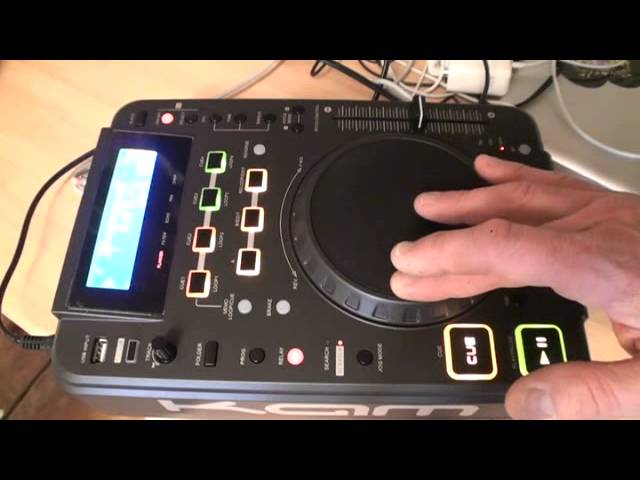
Alright ladies and gentlemen, review here on the Cam KCD 550 USB. It's a USB tabletop player, also it's a CD player as well. CDs are taken in via the front USB top left hand corner. In this video we're going to have a brief look at the effects and also the loop function and the cue function. You can see at the moment this area here, we have 1, 2, 3, 4 buttons, 2 in amber, 2 in green. Loops. I've now formed two loops, two in green are cues. Good response there. Straight off the mark, there's absolutely no delay at all. We'll go now into the effects. Just below top right hand corner where we have eject, we have the on-off button. When that is shining red, that indicates that you're good to go with the effects and the first one we're using is chop. What this does is sort of chop up the sound. It's similar to
1:13 Pan, it goes from chop back
Pan, so if we press select which is below the on-off button, the difference is here now is, ah we're back, sorry, beg your pardon. We'll go to pan, it goes from chop back over to flanger and again it doesn't go back. So you go flanger, filter, echo, pan, chop and then back to flanger, filter, echo, pan, chop. So we'll go to pan, what's happening here is if you've got a stereo system, the sound will go from one side of your PA to the other side. And again, it's dependent on how you turn the touch-sensitive jog wheel because that will change the effect that you're using. So press select again and we will go back to chop, but if I press that again, we go to flanger, press select again and filter. In future videos on this, I'll be doing more sort of tutorials. This is just a very basic demonstration. And press select again and we've got echo. Now we're in scratch mode now. You can see there...
2:42 Exactly the same place, so no movement there at all
Very, very tiny red LED next to scratch indicating now that we can touch, hold should I say the touch sensitive jog wheel at the top and we can start doing some scratching. It is very responsive and unlike the cheaper players out there, there's no movement in the scratch so some of the cheaper models by now you'd be trying to follow the sound. With this you're not. There it is, that's my mark right there. So I'll go around here, just move it around a little bit, and we'll go right back. Hold on. There it is. Exactly the same place, so no movement there at all. Alright, short review on the Cam KCD550 USB tabletop player. If you want any more information check out the link in the description. Practice and enjoy. Thank you.
This transcript was produced automatically from the audio of the video and may contain mistakes.










