 1:24
Pioneer DJ Opus Quad How to Select the Effects with the Dial
Contents of the video
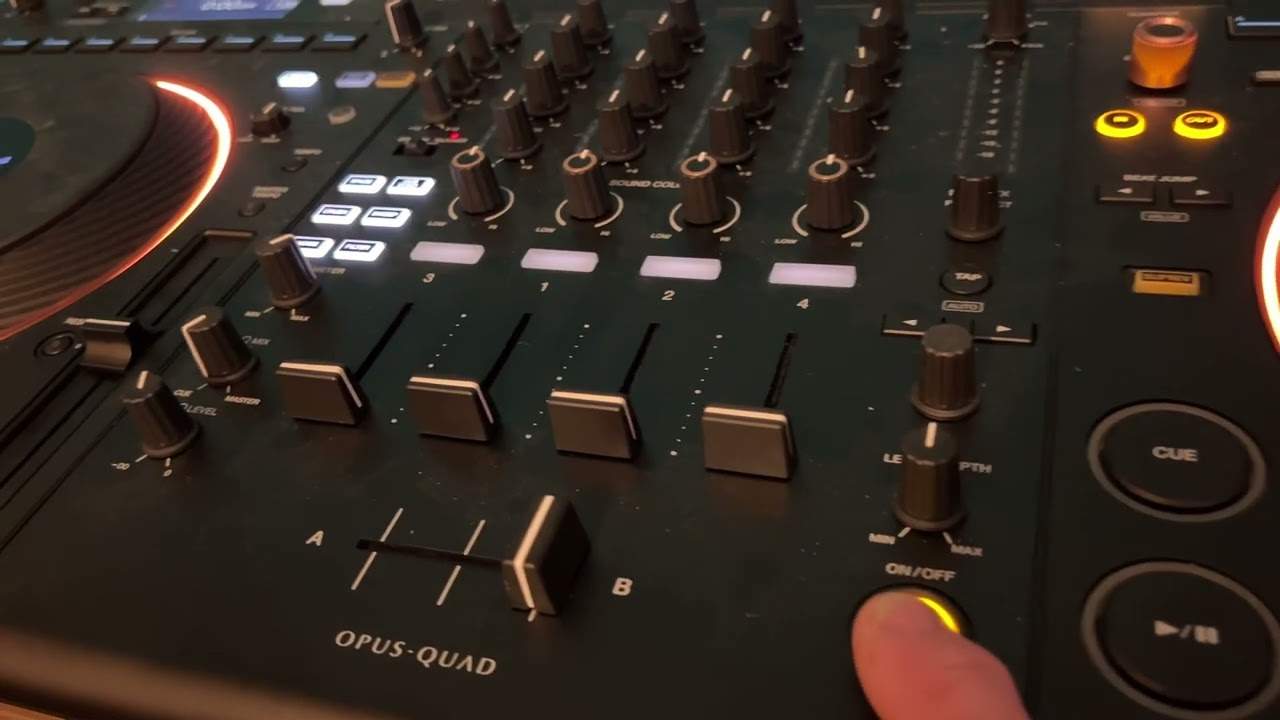
Pioneer DJ Opus Quad. In this video I'm going to show you how to select an effect on a channel. So you should notice that there is not a dial that you can choose your effects. All you have is a beat effects select. So as soon as I turn that, you will see the effects highlighted on the screen. So I'm going to choose an effect, leave it at that, and now all I need to do is I can either press master, channel 4, 2, 1 or 3. And what we can see is not only channel 3, we can see FX. So now I have chosen that effect for that channel. Of course, like a lot of the other controllers, we have effect on and off. We can set the level depth. And
We can also set the time, half and double. Double the time by pressing the arrow to the right, halve it by pressing the arrow to the left. We can also tap in time if you want to maybe get a different kind of time signature over the track itself. Hope that's a help. Thank you for watching. Practice and enjoy.
This transcript was produced automatically from the audio of the video and may contain mistakes.










