 5:12
Pioneer RB-DMX1 Set up Video 1
Contents of the video
0:00 My first video on the RB-DMX1 from Pioneer
Alright, my first video on the RB-DMX1 from Pioneer. It's their lighting interface that's used in conjunction with rekordbox software. I'm going to try and keep this video as precise as possible. First of all, very important to make sure that you have the latest version of the rekordbox software. If you don't then the hardware, the RB-DMX1 will not be able to talk to the software. What do you get inside the box? Well of course you get the RB-DMX1 which is your hardware, you also get a USB cable, you do get a rekordbox licence key which I'm not going to show you and you get a little bit of information. Okay so, let's get started. So let's imagine you have downloaded, updated your software, your rekordbox software at the moment. We're on 5.2.
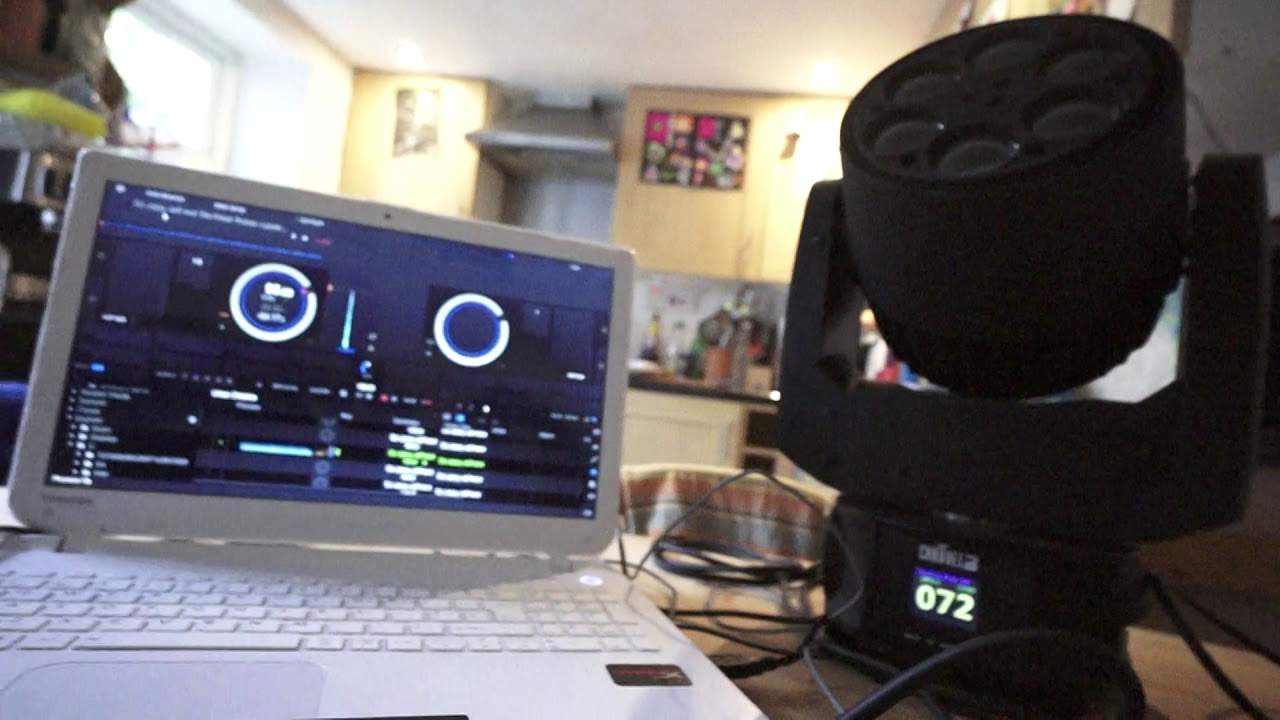
You have the driver of the DMX1 loaded onto your laptop or your Mac. You have plugged your DMX1 via the USB cable that comes in the box into the laptop and also you have an XLR cable into just one fixture to begin with to set up to get it going. What you need to do then is make sure that your fixture is set to DMX mode, 5.1.2. Also find out how many channels your fixture will run on. For example I'm using the Chauvet Trio and I've got an option of 30 or 15 channels so at the moment I'm on 15. If I go to my menu here we can see there quite clearly, hopefully you can if I just... Some people will say why don't you just go directly and use the screen from the laptop but this is why because I like to use the camera and go from, well for example here, like a fixture, to the screen.
2:12 No longer have you just got export and performance, you should now hav
So if we look at the screen on the Chauvet Trio, we're on DMX 5.1.2. I'm on 15 channels and I'm on channel 72. Right so, let's just put the camera back on, believe it or not the camera is on a cup at the moment. There it is look, it's Mr Noisy. Right so, now if you're familiar with the Rekordbox software you should know that top left hand corner you've got performance. Once you have downloaded the correct update and of course the driver for the DMX1 when you press on that button you've got performance. No longer have you just got export and performance, you should now have lighting. Okay so there it is, lighting. So what I'm going to do, I'm going to go on to lighting. So click there. Now don't get me wrong it may take a few seconds to get to the first page but that could be down to the speed of your laptop.
3:25 The box on the top left hand side
Alright so how do we find the light that you've got? Now on the left hand side bottom left you should have the alpha light. So for example I have plugged in the Intimidator Trio from Chauvet. So what I did, I went to C and then scrolled down and I looked for Chauvet. Once I got to Chauvet then on the right hand side I've got all of the Chauvet lighting. I click on that and then I can then drag that light to the display. The box on the top left hand side. Now again, the light itself was 15 channels and it was at 72. So all I've done, I've gone to 72 and I'm at 15 channels. And you'll know if the fixture is talking to the software because if I press there the lights turned on. Alright so I'm going to leave this video there for now because there's a lot more to it.
There's the macro mapping. The macro editor. Also about putting tracks in, setting up the grid on tracks and also setting up scenes for part of the tracks. The list goes on and on and on. So it's a great way let's say of someone who has always looked at DMX and thought you know what I don't like the idea of DMX. It's too scary. Well what the RB-DMX1 does. It cuts away a lot of the work. So instead of you having to set every single light, it can be done here. Alright now like I said there's a lot more to this and there will be more videos on this to come in the future. Very soon I'm hoping. There will also be a link in the description to the Pioneer site where you can get more info on the RB-DMX1 as well.
And I'll finish off with practice and enjoy. Thank you very much.
This transcript was produced automatically from the audio of the video and may contain mistakes.