 1:58
Stanton SCS.3M & Da Scratch Set Up.
Contents of the video
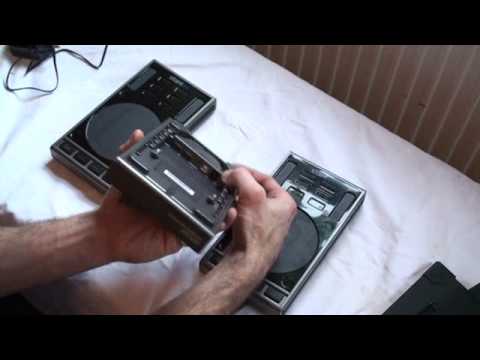
Alright guys, here we're looking at the full setup from Stanton. We've got a couple of Discratches and also in the middle we've got the SCS.3M. I will put a clickable link in the description where you can get more info on these guys from the website. So if we turn Discratch over, exactly the same as the SCS.3M, you've got two of these guys here, you twist and you can open up the base unit and you'll notice there we've got a USB port. What you need to do is plug... That part of the USB cable into there, like so. And if you want to, you can twist some or most of the cable inside there and you've got an area on the base where you can tidy up the cable, put the base back on, alright I'm doing this in a rush, base back on like so, and secure it again, turn it over.
Okay, if we have a look at the SCS.3M. Underneath here, we've got one, two, three ports and we've got an area there where you will put your power supply in. Also on the front of the unit, you've got two more USB ports. So what you can do if you want to, you can get this guy here and plug it in there. Alternatively, if you want to, you can get this part of the USB cable On the centre unit, like so. You can do then exactly the same thing with this guy, plug it into the centre unit and then you will go from this guy, the SCS.3M, into your PC. One very important factor, when you're using more than one unit, you will need to use the power supply that comes with the SCS.3M. Practice and enjoy.
This transcript was produced automatically from the audio of the video and may contain mistakes.










