 8:05
TRAKTOR SCRATCH PRO Punk vid, downloading cd n stuff!
Contents of the video
0:04 It's Traktor Scratch Pro
And again, I'm sort of doing this in real time, real life, so it's not like I know what I'm doing that well. It's Traktor Scratch Pro. What I'm going to do now, you can see it's still sealed. I'm going to put that inside there. Right, there's the manual, Traktor, getting started. OK, we've got Windows installation and Mac as well, but I'm going to be using Windows. All right, there you go. There's the disc. I'm going to put that in there. Right, here we go. What it says is double... Oh no, not that one, sorry. Start again. Right, in the Windows Explorer, double-click My Computer. So I've got to go down to here and My Computer. Right, OK. Double-click the Traktor CD icon to access the content of the CD. So up here, double-click. All right, I can hear it's doing something.
The setup program will lead you through the installation procedure. Follow the on-screen instructions. Right, sounds interesting. Okay, I can see at the top there it's doing something. This is real time by the way so if I make mistakes it's like, oh dear. Ah, I'm sure it'll be fine. Said the bishop to the actress. Right, I'm going to pause it for a second because it's doing stuff. Hold on. Okay, right, I've got to double click this guy here and we should get some sort of welcome dialogue.
1:53 All programs featured will be installed
All programs featured will be installed. Or custom. Well, I want all the programs on it, so go to next. Right, select no if you update from Traktor Scratch or purchase Traktor Pro. Do you need to install the Audio 8 driver? Select yes if you are new to Traktor Scratch Pro. This is Mandarin to install the Audio 8 driver. Right, so I'm going to just do this one to begin with. It's probably the wrong one, he says. I think this is when it takes a few minutes so I'll pause the camera. Again, just read in the manual says here if you're installing Traktor Scratch you will need Sorry, you will be asked to install the Audio 4-8 DJ hardware driver during installation. In the appropriate dialogue click yes. If you want to use a different audio interface, unselect the Audio 4-8 DJ by choosing the custom installation option. So in other words, yes, I do want to install the Audio 4-8 DJ hardware driver. I think it's the 8 I've got. Right, what have we got now?
Native instruments, sound video and game publisher, native instruments, GMBH, always trust software from native instruments. Yes, so click yes. And install. Right, here we go. I don't use a lot of software but what you will find is that quite often it does take a little bit of time to let's say download or transfer from a CD. From a disc onto your PC. So don't expect it to be done in a couple of seconds. Give it time. Oh, sorry. I wonder what's going on when that green line passes through there. Maybe it's some form of liquid going from one side of the laptop to the other. Who knows? Oh, stopped. Right, what's happening there? Computer's making funny noises. A bit like my message in the morning. Okay, right, that took a few minutes.
Completing the Native Instruments Traktor setup. Okay, you have successfully completed the install aware wizard for Native Instruments Traktor. Show the welcome PDF or run Native Instruments Traktor now. Well I'm going to run it now. So I'm going to click that icon and click finish. Let's see my PC explode now. Just kidding.
5:47 See what I said earlier on about real time, real life?
You can always tell when your laptop's doing something because all of a sudden the fan starts going 500 miles an hour trying to cope with all the information going from bits inside it. It's amazing though how you get tiny people in there to do stuff because it's really clever. Right, doing something. Still doing something. See what I said earlier on about real time, real life? OK, it has been edited slightly but, you know, well, I mean... I'm sure you've got better things to do than just look at a blank screen or listen to me. You could go and pick the black bits out of your feet or maybe curl your hair. I fancy curling my hair. Yes, I haven't got any. Right, OK, I'm going to pause the camera because it's taking a bit of time. Let's see what's going on here. Ah, I just found out why. Look down there. OK, now this is something that is in the manual as well if we take a look there. That looks exactly the same.
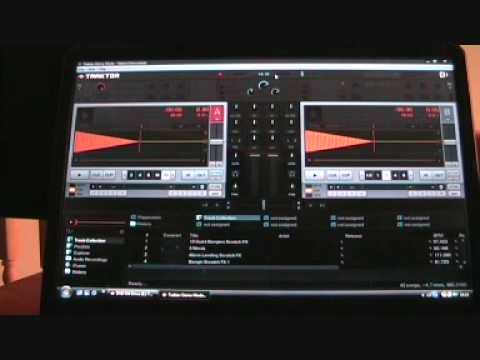
Www.ellaskins.com Right, I've just clicked on the icon which says run demo, so Traktor Pro, here we go. Choose this setup for checking out Traktor Pro on your computer without any additional hardware. Alright, is it going to get bigger? Hold on. Alright, here we go, I'm confusing myself a little bit. I think what I'm going to do first, I'm going to close that. I'm going to plug the interface in, which is that guy there. Alright, bear with me.
This transcript was produced automatically from the audio of the video and may contain mistakes.