 4:39
VJ DJ Advise How to Get a Better Mash up for Your VJ Set
Contents of the video
0:00 By doing a simple little thing
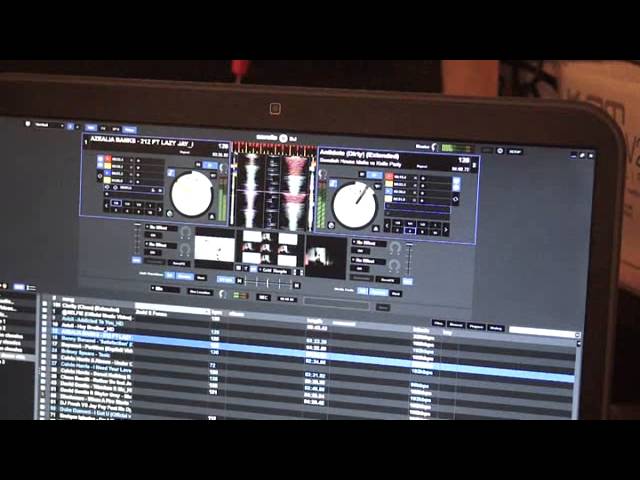
Alright guys, this video first of all is going out to Adrian in Dubai. Hope you have a nice time in Vegas and don't forget Britney Spears for Pickled Onions. Probably wondering what I'm on about but it's an in thing. Alright so Adrian, hope you have a nice time mate. In this video I'm going to show you by doing a simple little thing on your hardware you can just have so much more fun when you're doing a proper video mashup. The hardware I'm using, you'll see it in a bit, is the Pioneer DDJ-SX, the software is Serato Video, two tracks are Antidote and Azealia Banks 212. So I've got them both set up. Now by disengaging the crossfade on the hardware will mean that when both channels are up you'll always get the audio playing no matter what you do with the crossfade.
1:29 Prior to doing this, set a few hot cues
But what happens is the crossfade is still engaged on... the video, so you can snip from video to video but you'll still get the audio playing on both channels unless of course you start moving the up faders down or up. So I'll press play on both of them. So we can see in the center screen that's our main video right and left. Right one is the Antidote, left is Azealia Banks. Volume up and down on the hardware. So if I pull out... Alright also you see what you can do. What I can do now is I've now turned the audio down on the Azealia Banks. Prior to doing this, set a few hot cues. I'm now going to turn with the trim the audio down on Azealia Banks. Bring it back up and now what we can do is tap the hot cues.
2:58 Certain parts of the video
And what we can do is just... use the hot cues to go to certain parts of the video. Well, Azealia Banks. But again because we have disengaged the crossfade if I want to I can move the crossfade over and now you can see we've just got... Azealia Banks. So you can really confuse people now. Because they'll think, well hold on. Why are we watching this video when it's really a completely different track? Bearing in mind the video on the right hand side is the Antidote. The one on the left is Azealia Banks. The one in the center is what people will be watching. Now I'm scratching so I'm just moving the platter back and forwards.
And we're getting that kind of effect. Now while I'm scratching the video... I can use the crossfade on the hardware and go to the video that's playing. And back to scratching. Over to the video that's playing. Back scratching. Over to the video that's playing. Back scratching on Azealia Banks.
And back over there. There you go. Alright again very, very simple but what I'm trying to do here is think outside the box instead of just doing video mix from one to the other. How can we make this slightly different? This is one simple way. Have fun, practice and enjoy. Thank you.
This transcript was produced automatically from the audio of the video and may contain mistakes.










