 5:15
What master sync is really doing
On YouTube this video is called What Goes on and How to Use Master SYNC with Pioneer DJ Kit
What this lesson teaches
Three players and a mixer linked through a hub, with one USB and the files prepared in rekordbox - which he flags as a requirement rather than a suggestion, because the function depends on the analysis.
What it does
He demonstrates the unsynced version first: three decks, pitches all over the place, started in turn. It sounds as bad as you would expect.
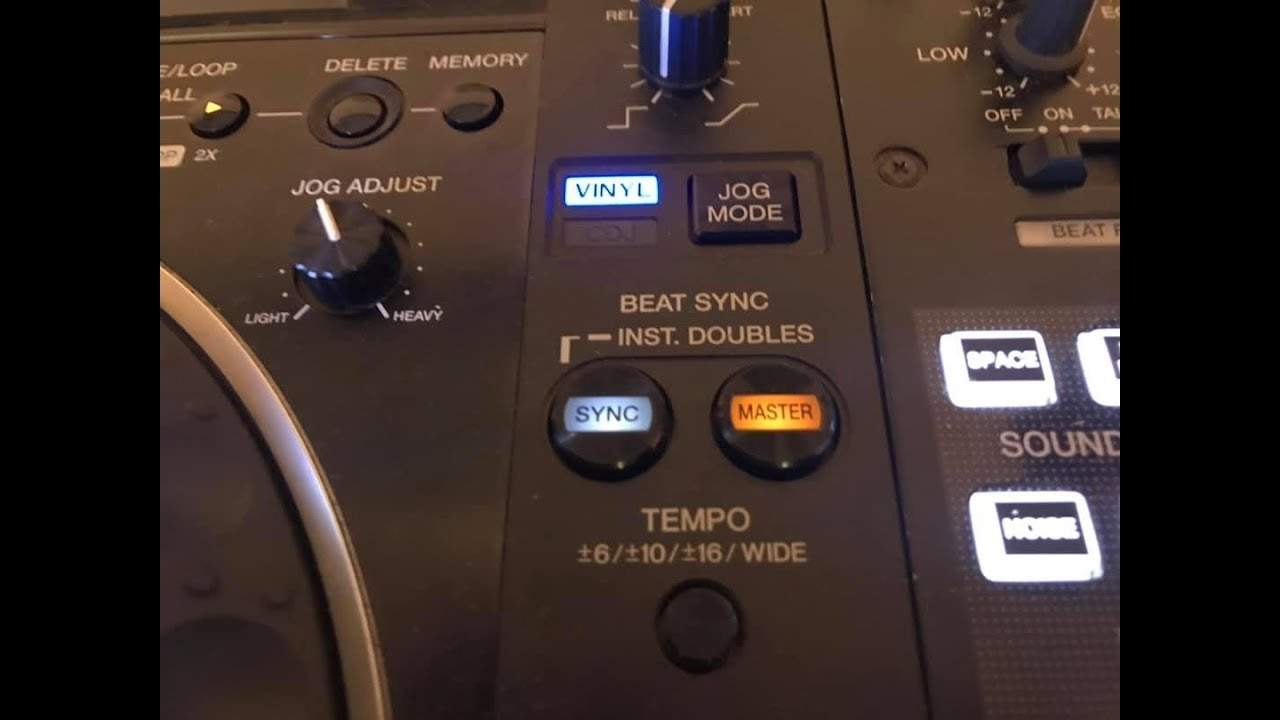
Then he sets the left deck as master and puts the other two in sync, without touching any pitch fader. Now the two followers run at the master's tempo, and as he moves the master's pitch the other two track it.
So one deck leads and the rest of the system follows it. For a three-deck set, that is the difference between manageable and impossible.
The two BPM readings
The detail worth knowing, because it confuses people the first time.
On each following deck the display shows two tempos: what the track would be running at if it obeyed its own pitch fader, and what it is actually running at while following the master.
Those two numbers disagreeing is normal and correct. It is the machine telling you how far it has pulled the track from where your fader says it should be.
The caveat
This is sync at the system level, and it carries every limitation sync has.
It follows the grid, not the music. If rekordbox analysed a track badly - put the downbeat in the wrong place, or fitted one tempo to a record that drifts - then master sync will hold all three decks confidently to a wrong reference, with the numbers agreeing on screen.
The fix is the same as always: check the grids when you prepare the USB, and keep listening while you play. Master sync removes the labour of matching three tempos. It does not remove the need to notice when something is wrong.
When it earns its place
Two decks by ear is a skill worth having and this stage is about acquiring it.
Three or four decks at once is a different proposition - the mental arithmetic of holding three tempos by hand is genuinely beyond most people, and the creative possibilities of layering three records are worth having. That is what this function is for, and using it there is not a shortcut.
Contents of the video
0:00 Using, at the moment I have the separate players
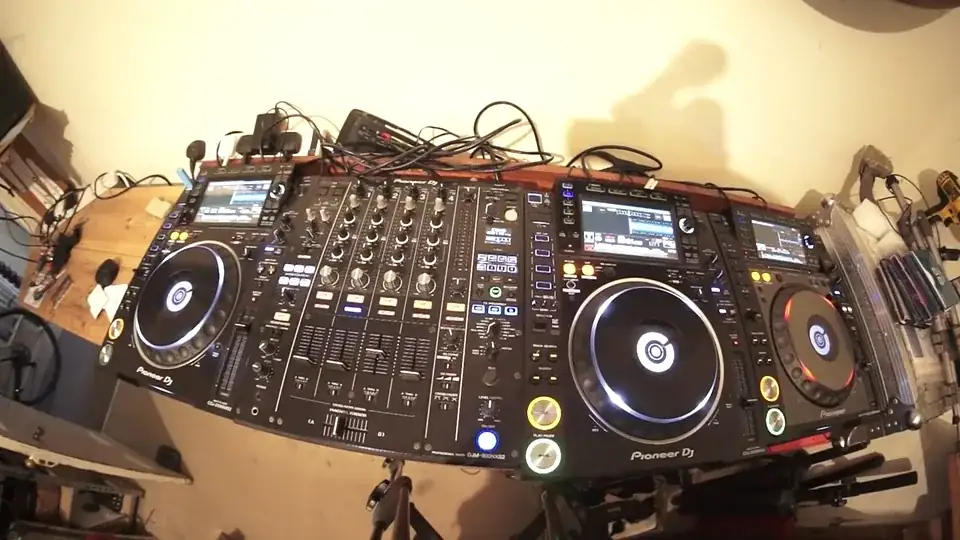
Alright, in this video I want to give you a little bit of an insight into the features of Master and Sync. Using, at the moment I have the separate players. These are either side of the DJM-900 Nexus Mark II. I have the CDJ-2000 Nexus Mark II. Far right I have the CDJ-2000 original Nexus Mark I. The mixer and the three players are all interconnected via an external hub. And this is nothing special, it's just a basic hub you use in the house. One USB, the files are through rekordbox. Very important to make sure the files are through rekordbox to use the master sync function. Track I'm using is entitled Give Me Sense, the club mix from Karmic Power Records. There will be a link in the description to Karmic Power Records. Now at the moment, the pitches are all over the place.
I'm going to make sure everything is off, we're not in sync or master or anything. Press play. So what I'm going to do, I'm going to press play as in play two three four, play two three four, play two three four. Okay? So the idea there is so you can hear what it sounds like with no sync master or anything engaged. So play two three four, play three four, play two three four.
1:29 Keep the pitches exactly where they are
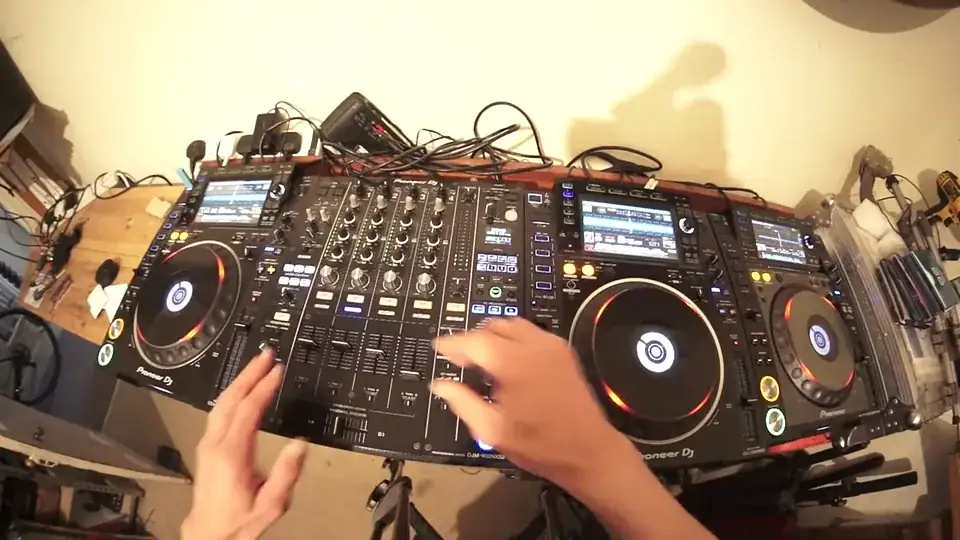
Okay, that sounds pretty bad. All right, so what I'm going to do now is I am going to press the master button on the left-hand side, sync on the right and sync on the far right. Keep the pitches exactly where they are. Press play again, play two three four, play two three four, play two three four. So play two three four, play two three four, play two three four. Okay, so the left hand deck is the master deck. So as I move the pitch, the other two turntables are following the BPM of the left deck. Now also what I can see visually on the other two turntables are two BPMs. The first BPM I can see is the BPM of the deck if it was at the speed where the pitch The second one is the BPM that it's following on the left hand side. Exactly the same with the far right. I can see a pitch, or sorry, I can see the BPM of the track if it was at the BPM where the pitch is. But I can also see the BPM of the track that it's following on the left hand deck. Now, also, watch what happens now when I bring the master down.
3:11 The current BPM is 122.2, so bring that down to 122.2
Now what's happened now is because I've taken the master out of the equation, the next deck has decided to become a master deck. So what I need to do now is move the pitch, move tempo slider to current BPM. Now the current BPM is 122.2, so bring that down to 122.2. and become the master. So now this deck is now the master deck and is in now control of the turntable over here but also at the same time the far right is still showing the original speed, the BPM of the track if it was set at the speed where the pitch is at the moment so let's bring the second deck out And now we're left with the right hand deck playing by itself. What I need to do now is to move the tempo slider to its current BPM which is 122.1 and once I've got to that BPM, now I can change the speed. So in other words what's happening is as soon as you take out the master deck out of the equation
Thank you for watching.
This transcript was produced automatically from the audio of the video and may contain mistakes.